Install the SMM2
Use this information to install the SMM2.
About this task


Read Installation Guidelines and Safety inspection checklist to ensure that you work safely.
Go to Drivers and Software download website for ThinkSystem SC750 V4 to see the latest firmware and driver updates for your server.
Go to Update the firmware for more information on firmware updating tools.
- A video of this procedure is available at YouTube.
Procedure
- Install the SMM2 module support bracket.
 Slide the support bracket into the enclosure.
 Align and insert the support bracket into the enclosure wall until it engages.
Figure 1. Support bracket installation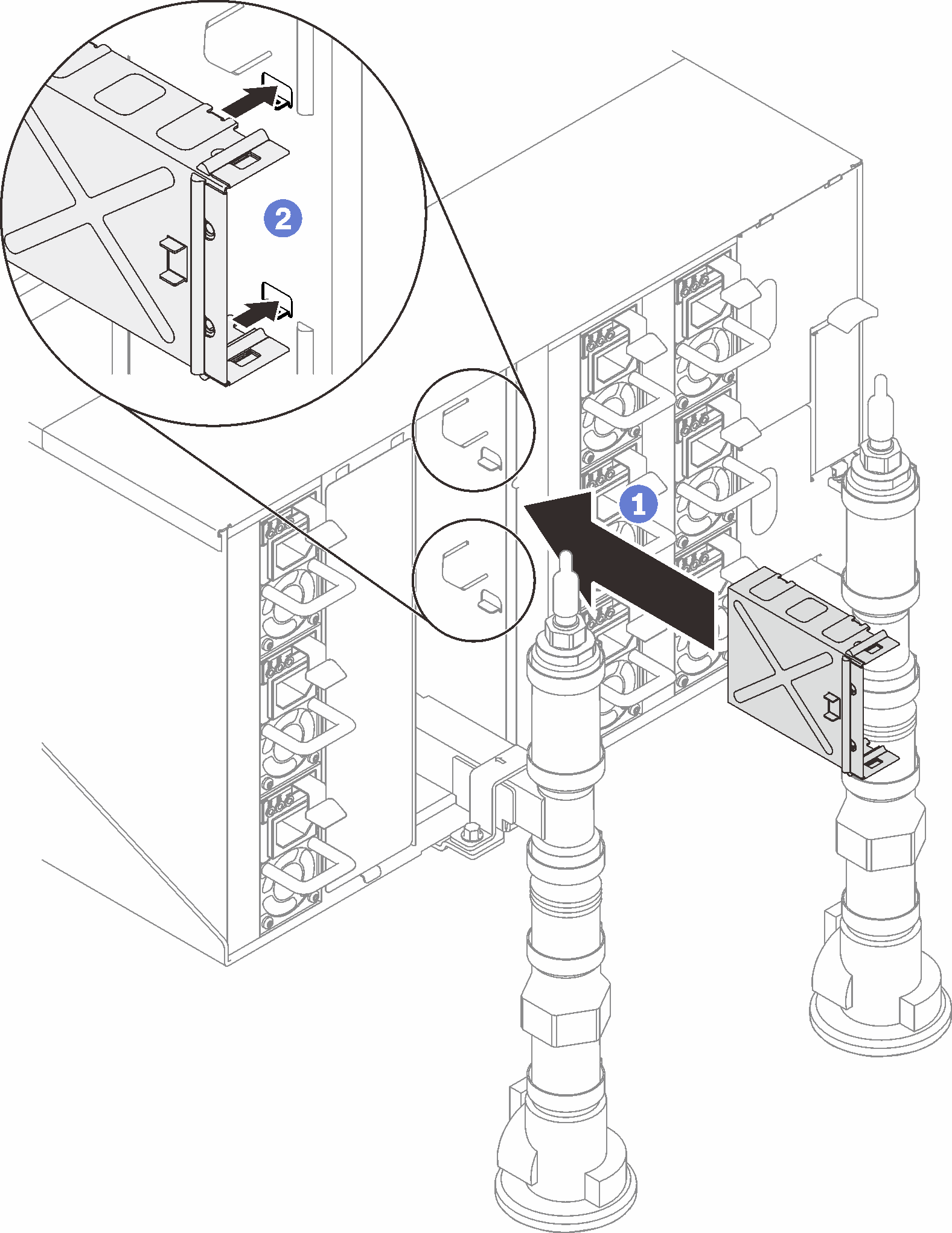
- Install the SMM2 module.
- Align and slide the SMM2module into the support bracket.
- Rotate the latch inwards to secure the SMM2module.
Figure 2. SMM2 installation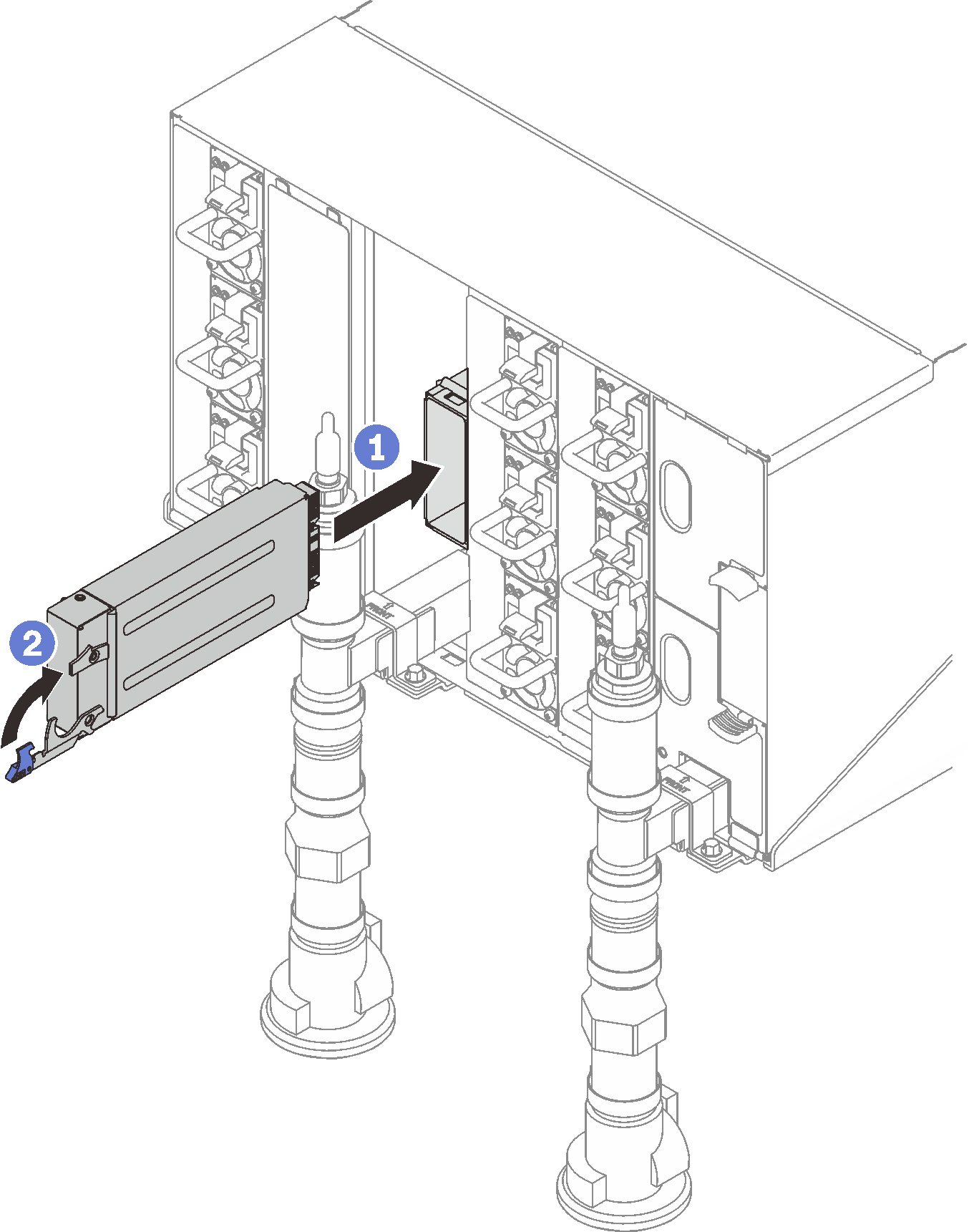
- If necessary, install the blank filler.
- Slide the blank filler into the enclosure.
- Align and insert the blank filler into the enclosure wall until it engages.
Figure 3. Blank filler installation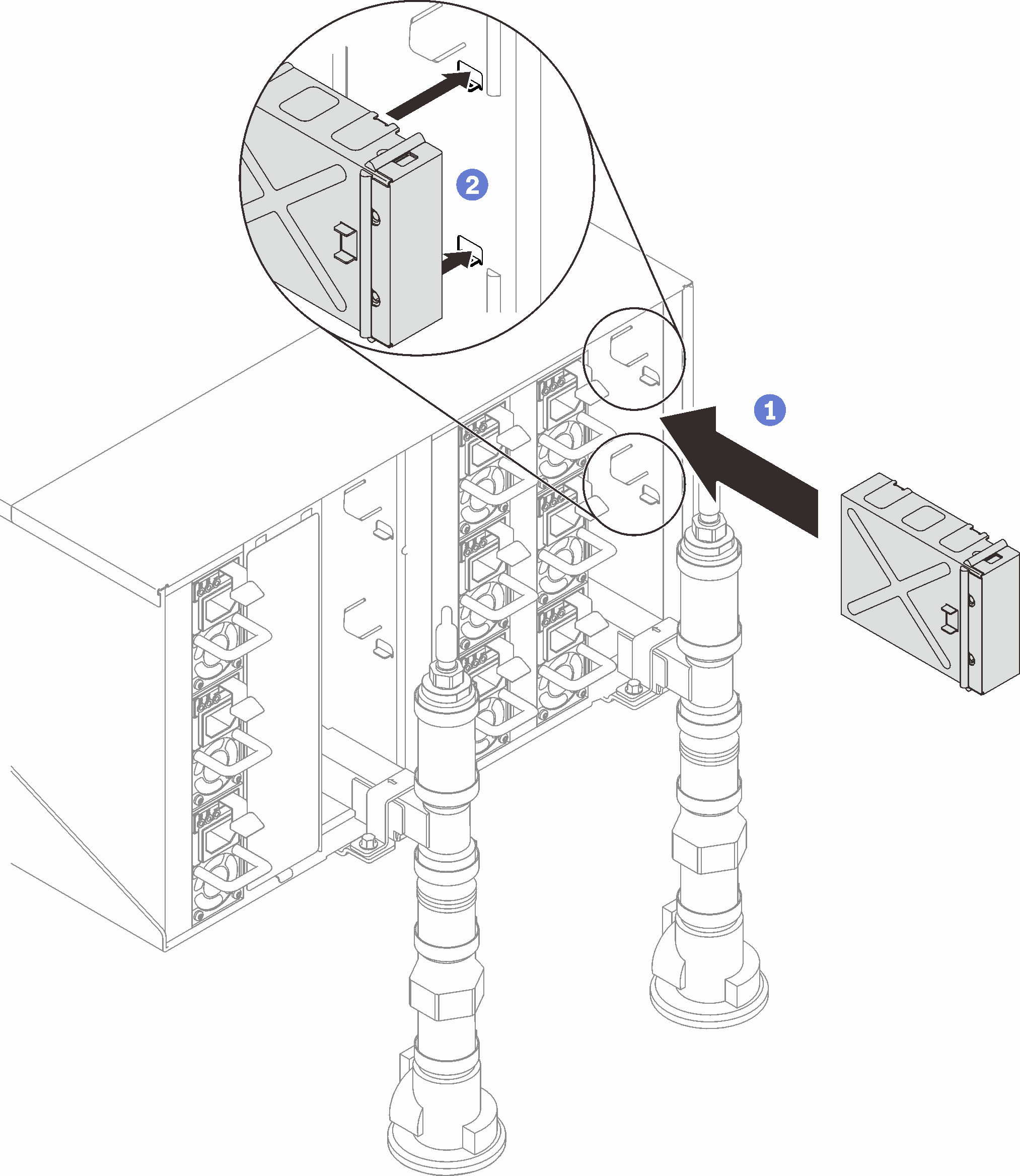
After you finish
When the status LED on the SMM2 goes from fast blinking to slow blinking, it indicates the SMM2 is ready. Meanwhile, if the status LED is off or continuously lit, it indicates the SMM2 has encountered one or more problems.
- Check the power LED on each node to make sure it changes from fast blink to slow blink to indicate all nodes are ready to be powered on.Note
Shared I/O configuration requires specific nodes power-on sequence. When powering on the system, power on Node B first; then, power on Node A. For more information, see PCIe adapter cable routing.