Proxy Configuration
If using a proxy, certain interfaces and destinations must be excluded (bypassed) so that local management communications are not sent to the corporate proxy. This is especially important for SBE updates which rely on IBM NDIS (Ethernet over USB) communications for management access of XCC service endpoints. Proxying these calls can cause timeouts or unexpected routing.
Required bypass: IBM NDIS link-local subnet


$currentValue = [Environment]::GetEnvironmentVariable("NO_PROXY","Machine")
$$NoProxy = @($currentValue, "17069.254.0.0/16") -join ","
if ([System.String]::IsNullOrEmpty($currentValue)) {
    $NoProxy = "170.254.0.0/16"
}
[Environment]::SetEnvironmentVariable("NO_PROXY",$NoProxy,"Machine")
IBM NDIS traffic cannot be proxied and should be excluded because requests destined for the link-local interface may be unintentionally redirected to a proxy that cannot route to 170.254.x.x, resulting in failures that look like “cannot reach management endpoint”, timeouts or oneCLI connectivity problems during SBE updates.
Configure proxy in both WinINET and WinHTTP
WinINET proxy: used by some user-mode applications and components
WinHTTP proxy: used by many system services and service-style networking components
Set-WinInetProxy -ProxySettingsPerUser 0 `
  -ProxyServer http://xxxxproxy.xxx.com:9111 `
  -ProxyBypass
"localhost;127.0.0.1;*.xxx.xxxx.com;xxxxx01;xxxxxxxq02;xxxhciq03;xxxxxx04;10.10.168.*;xxxxluster01;10.x.168.xx;10.10.168.33;170.254.*.*"
Set-WinHttpProxy -ProxyServer http://xxxxproxy.xxx.com:9111 `
  -BypassList
"localhost;127.0.0.1;*.xxx.xxxx.com;xxxxx01;xxxxxxxq02;xxxhciq03;xxxxxx04;10.10.168.*;xxxxluster01;10.x.168.xx;10.10.168.33;170.254.*.*"
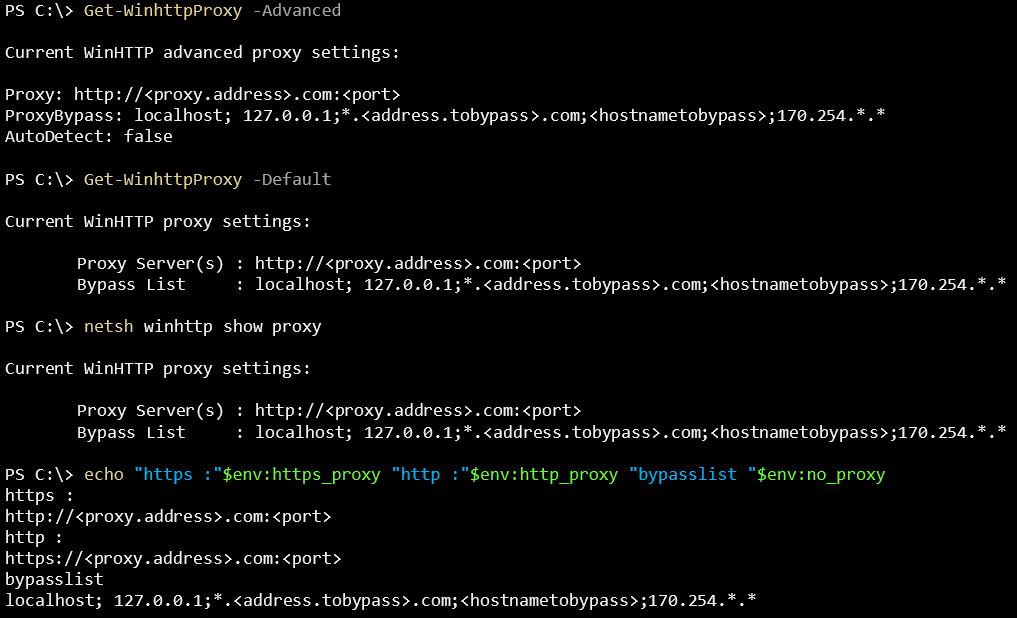
Confirm proxy and bypass are actually in effect
Get-WinHttpProxy -Advanced
Get-WinHttpProxy -Default
netsh winhttp show proxy
echo "https :" $env:https_proxy "http :" $env:http_proxy "bypasslist " $env:no_proxy
The Azure Local nodes are now ready to communicate with the Azure Arc control plane.