Sideband cable routing
Use this information to route the cables for the sideband cable.
Sideband cable routing
Note
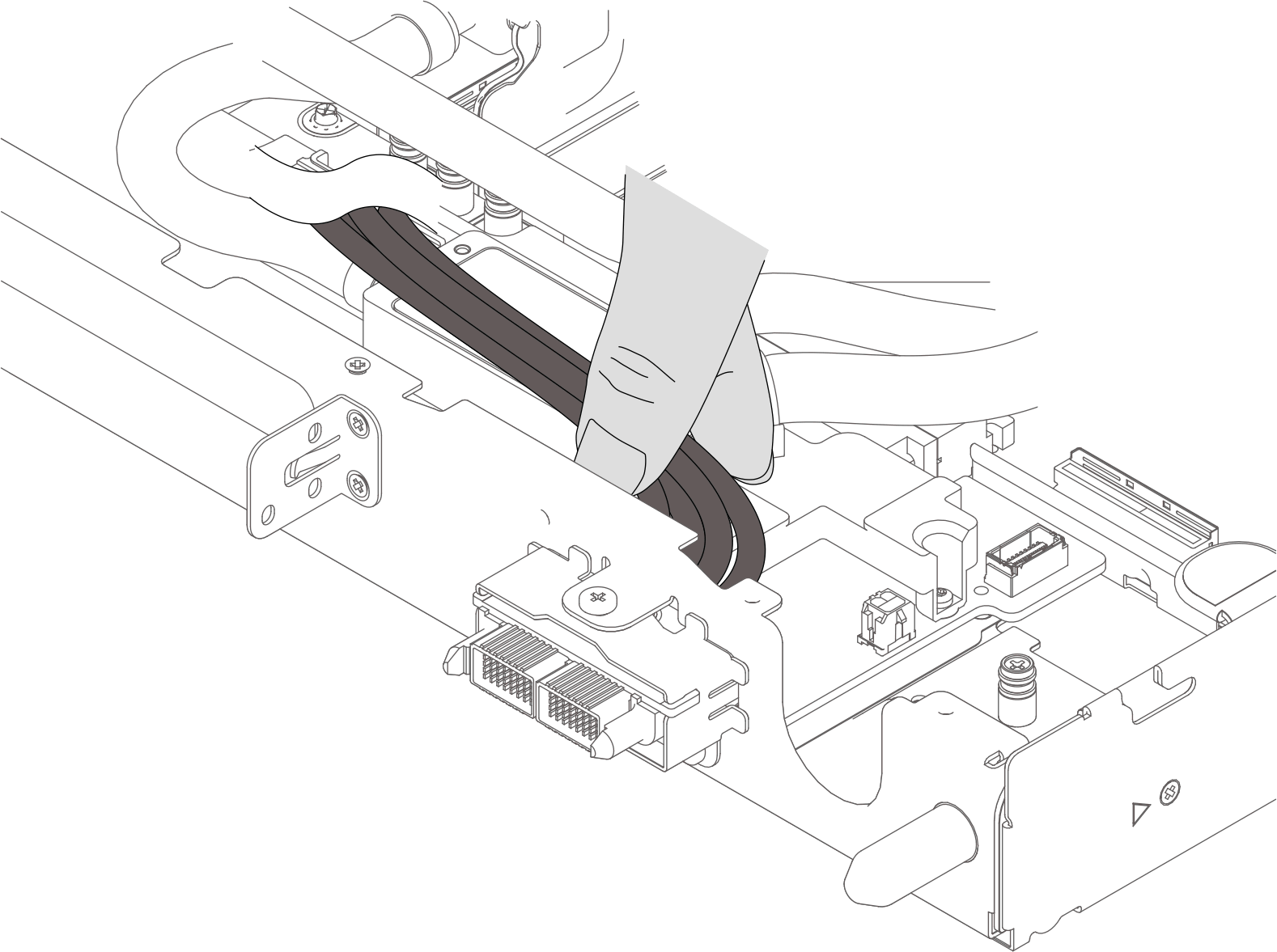
- To prevent damaging the cable, make sure to hold down the cables near the sideband module when routing the sideband cables through the water loop.Figure 1. Holding down sideband cables
Keep the cables sightly above the cold plate. Do not insert the cables into the gap between the cold plate and the tray wall.
Figure 2. Sideband cable placement rear tray wall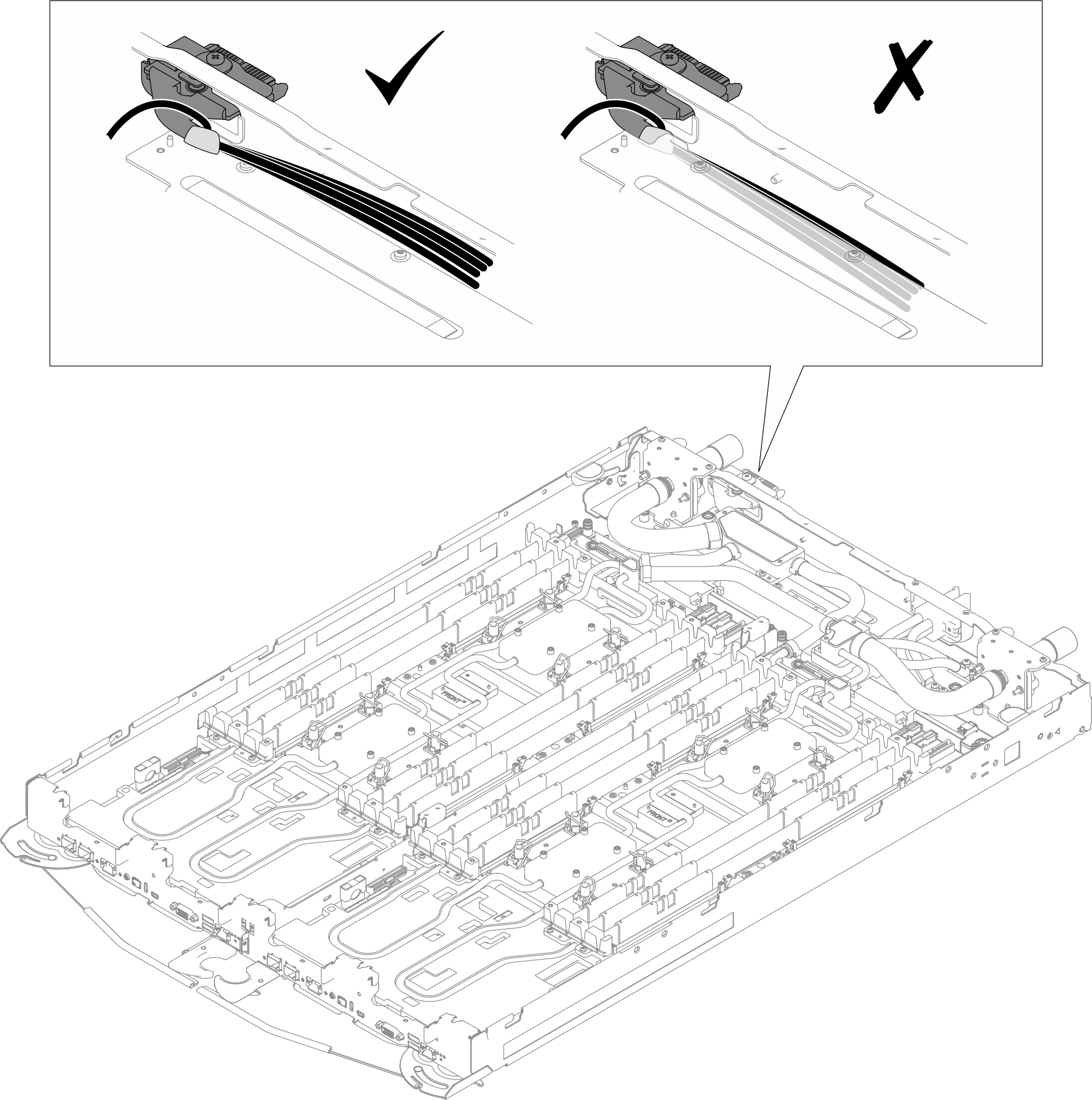
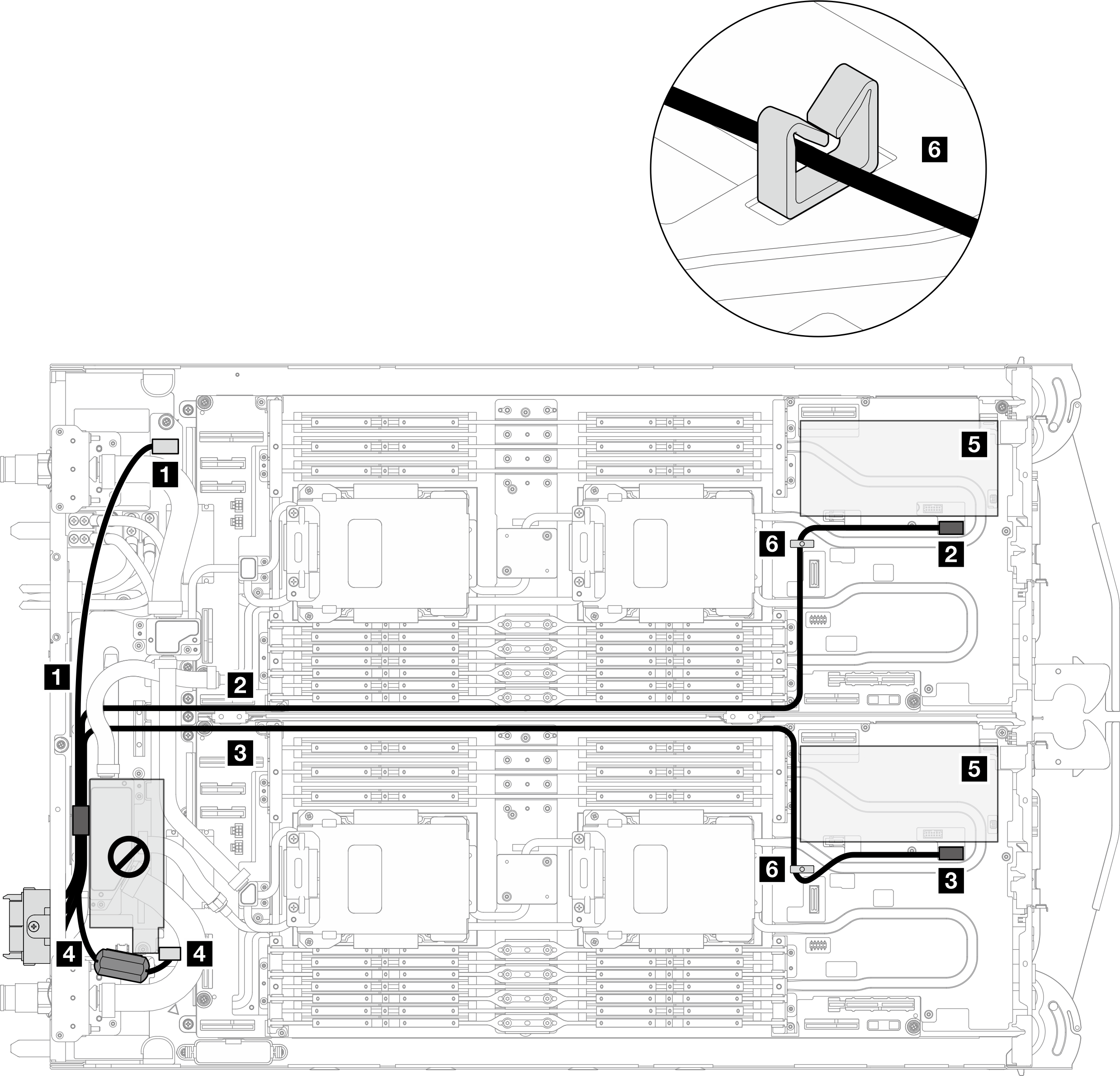
Figure 3. Sideband cable routing
Attention
Make sure the cables are clear off the restricted area.
| From (sideband cable) | To |
|---|---|
| 1 Cable with plugger marked as P3 | 1 P3 connector on the power distribution board |
| 2 Cable with plugger marked as Node B (routed beneath the water tubes) | 2 Sideband connector on the system board of Node B |
| 3 Cable with plugger marked as Node A (routed beneath the water tubes) | 3 Sideband connector on the system board of Node A |
| 4 Cable with plugger marked as P2 | 4 P2 connector on the power distribution board |
| Note: 5: Slot 2 for PCIe riser or drives in Node A or Node B 6: Cable clips | |
Give documentation feedback