PCIe slots and PCIe adapters
PCIe adapters must be installed in a specific order in your server.
Rear PCIe slots
- With 3 riser cards: x8/x16/x16
- Slot 3 or Slot 6: PCIe Gen5 x8, FH/FL
- Slot 4 or Slot 7: PCIe Gen5 x16, FH/FL
- Slot 5 or Slot 8: PCIe Gen5 x16, FH/HL
- With 2 riser cards: x16/x16
- Slot 3 or Slot 6: PCIe Gen5 x16, FH/FL
- Slot 4 or Slot 7: PCIe Gen5 x16, FH/FL
- Slot 5 or Slot 8: Not applicable
Front PCIe slots
See Front view for the location of front PCIe slots.
- x8/x8/x8/x8 configuration
- x16/x16 configuration (supporting DW GPU adapters up to 400W)
- Front high watts GPU adapter (up to 600W) configuration
| Riser assembly 6 (CPU 2) | Riser assembly 7 (CPU 1) |
| Slot 16: PCIe Gen5, x8, FH/FL | Slot 20: PCIe Gen5, x8, FH/FL |
| Slot 17: PCIe Gen5, x8, FH/FL | Slot 21: PCIe Gen5, x8, FH/FL |
| Slot 18: PCIe Gen5, x8, FH/FL | Slot 22: PCIe Gen5, x8, FH/FL |
| Slot 19: PCIe Gen5, x8, FH/FL | Slot 23: PCIe Gen5, x8, FH/FL |
| |
| Riser assembly 6 (CPU 2) | Riser assembly 7 (CPU 1) |
| Slot 16: Not applicable | Slot 20: Not applicable |
| Slot 17: PCIe Gen5, x16, FH/FL | Slot 21: PCIe Gen5, x16, FH/FL |
| Slot 18: Not applicable | Slot 22: Not applicable |
| Slot 19: PCIe Gen5, x16, FH/FL | Slot 23: PCIe Gen5, x16, FH/FL |
| |
| Riser assembly 6 | Riser assembly 7 |
| Riser cage only | Slot 20: Not applicable |
| Slot 21: PCIe Gen5, x16, FH/FL | |
| Slot 22: Not applicable | |
| Slot 23: PCIe Gen5, x16, FH/FL |
Supported riser cards
| Slot | With 3 riser cards: x8/x16/x16 | With 2 riser cards: x16/x16 |
|---|---|---|
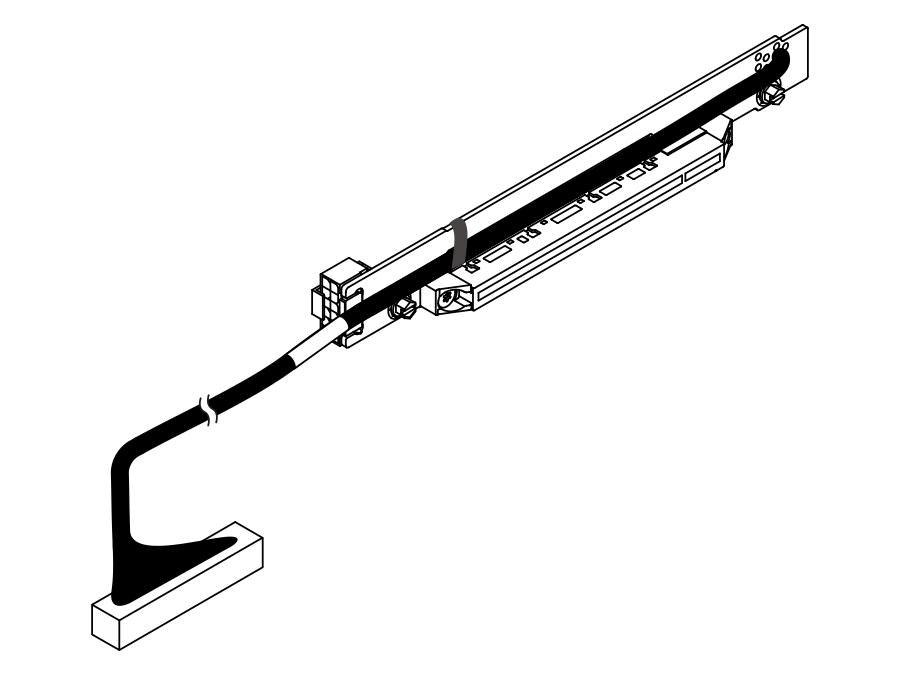
| Slot 3 / Slot 6 | Cable riser card, Gen5 x8, 350 mm | Cable riser card for Slot 3&6, Gen5 x16, 300 mm |
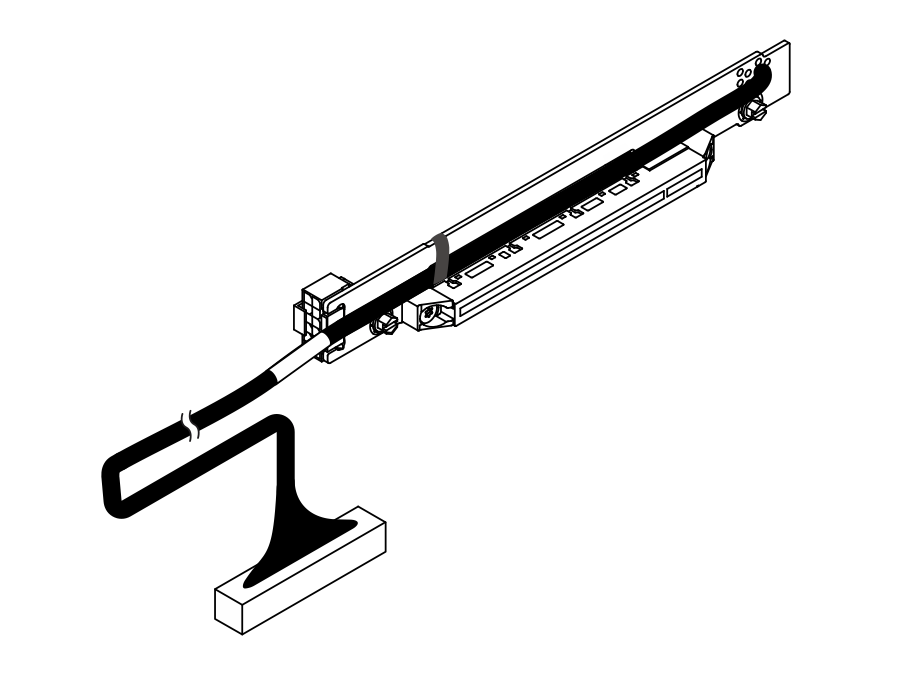
| Slot 4 / Slot 7 | Cable riser card, Gen5 x16, 300 mm | Cable riser card for Slot 4&7, Gen5 x16, 300 mm |
| Slot 5 / Slot 8 | Rigid riser card | - |
| Cable riser card for Slot 3&6, Gen5 x16, 300 mm | Cable riser card for Slot 4&7, Gen5 x16, 300 mm |
|---|---|
 |  |
| Slot | x8/x8/x8/x8 | x16/x16 | Front high watts GPU adapter |
|---|---|---|---|
| Slot 16/ Slot 20 | Cable riser card, Gen5 x8, 550/470 mm | - | - |
| Slot 17/ Slot 21 | Cable riser card, Gen5 x8, 550/470 mm | Cable riser card, Gen5 x16, 550/450 mm | Slot 21: Cable riser card, Gen5 x16, 550/450 mm |
| Slot 18/ Slot 22 | Cable riser card, Gen5 x8, 550/1000 mm | - | - |
| Slot 19/ Slot 23 | Cable riser card, Gen5 x8, 550/1000 mm | Cable riser card, Gen5 x16, 550/450 mm | Slot 23: Cable riser card, Gen5 x16, 550/450 mm |
PCIe adapter installation rules and order
| Component | Maximum quantity | PCIe slot priorities | |
| With one processor installed | With two processors installed | ||
| GPU adapter | |||
DW GPU (up to 400W) | 4 | 21, 23 | 17, 21, 19, 23 |
High watts DW GPU (up to 600W) | 2 | 21, 23 | 21, 23 |
SW GPU | 8 |
|
|
| Data processing unit (DPU) | |||
DPU Note The ambient temperature and PCIe slot priority for DPU adapters vary by configuration. See | 2 | 4, 3(x16 lanes), 5 | 4, 7, 3(x16 lanes), 6(x16 lanes), 5, 8 |
| RAID adapter/HBA | |||
8i/16i RAID adapter/HBA | 1 |
| 3 (x8 lanes), 6 (x8 lanes), 5, 8, 4, 7, 3 (x16 lanes), 6 (x16 lanes) |
ThinkSystem RAID 940-8e 4GB Flash PCIe Gen4 12Gb Adapter | 4 |
| 3 (x8 lanes), 6 (x8 lanes), 5, 8, 4, 7, 3 (x16 lanes), 6 (x16 lanes) |
ThinkSystem 440-16e SAS/SATA PCIe Gen4 12Gb HBA | 6 |
| 3 (x8 lanes), 6 (x8 lanes), 5, 8, 4, 7, 3 (x16 lanes), 6 (x16 lanes) |
| NIC adapter | |||
| 4 | 5, 4, 3 (x16 lanes) | 5, 8, 4, 7, 3 (x16 lanes), 6 (x16 lanes) |
| 6 |
| 3 (x8 lanes), 6 (x8 lanes), 5, 8, 4, 7, 3 (x16 lanes), 6 (x16 lanes) |
| Fibre channel adapter | |||
Fibre channel adapter | 6 |
| 3 (x8 lanes), 6 (x8 lanes), 5, 8, 4, 7, 3 (x16 lanes), 6 (x16 lanes) |
| InfiniBand (IB)/VPI adapter | |||
| InfiniBand (IB) adapter with aux cable Note When adding the ConnectX-8 adapter and auxiliary cable for the first time, follow the instructions in Configuring the NVIDIA ConnectX-8 Adapter and Auxiliary Cable on ThinkSystem Servers to enable the Gen 5 x32 host connection. For routing of the auxiliary cable, see Internal cable routing. | 2 | 5 | 5, 7 |
| 4 | 5, 4, 3 (x16 lanes) | 5, 8, 4, 7, 3 (x16 lanes), 6 (x16 lanes) |
| Omni-Path adapter | |||
| ThinkSystem Cornelis CN5000 OPA QSFP112 HFI Adapter Note This adapter is supported only in configurations without NVIDIA NIC adapters. | 4 | 5, 4, 3 (x16 lanes) | 5, 8, 4, 7, 3 (x16 lanes), 6 (x16 lanes) |