Remove the PCS leakage tray
Use this information to remove the PCS leakage tray.
About this task
S002

CAUTION
The power-control button on the device and the power switch on the power supply do not turn off the electrical current supplied to the device. The device also might have more than one power cord. To remove all electrical current from the device, ensure that all power cords are disconnected from the power source.
Attention
Read Installation Guidelines and Safety inspection checklist to ensure that you work safely.
The PCS leakage trays are attached to the rear side of the mid-plate assembly.
Figure 1. Leakage tray locations on mid-plate assembly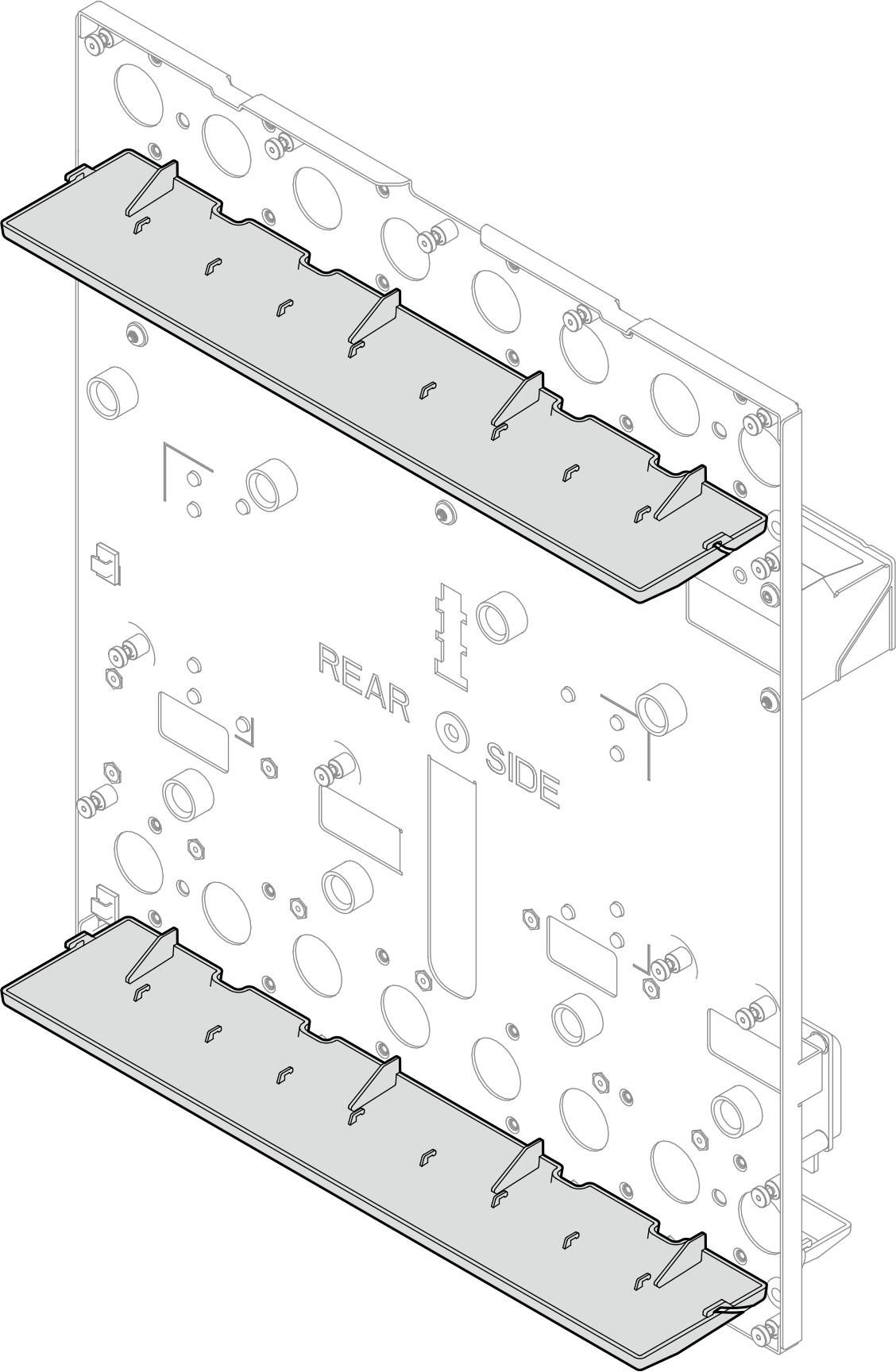
Watch the procedure
- A video of this procedure is available at YouTube.
Procedure
- Make preparations for this task.
- Remove all trays from the enclosure. See Remove a tray from the enclosure.
- Disconnect power cords and remove all Power Conversion Stations (PCS). See Remove a Power Conversion Station (PCS).
- Remove the blank filler. See Remove the blank filler.
- Remove the SMM3. See Remove the SMM3.
- Remove all Power Conversion Station (PCS) cages. See Remove a Power Conversion Station (PCS) cage.
- Remove upper and lower manifolds. See Remove the manifold.
- Remove the enclosure mid-plate assembly. See Remove the mid-plate assembly.
- Remove the leakage sensor. See Remove the leakage sensor.
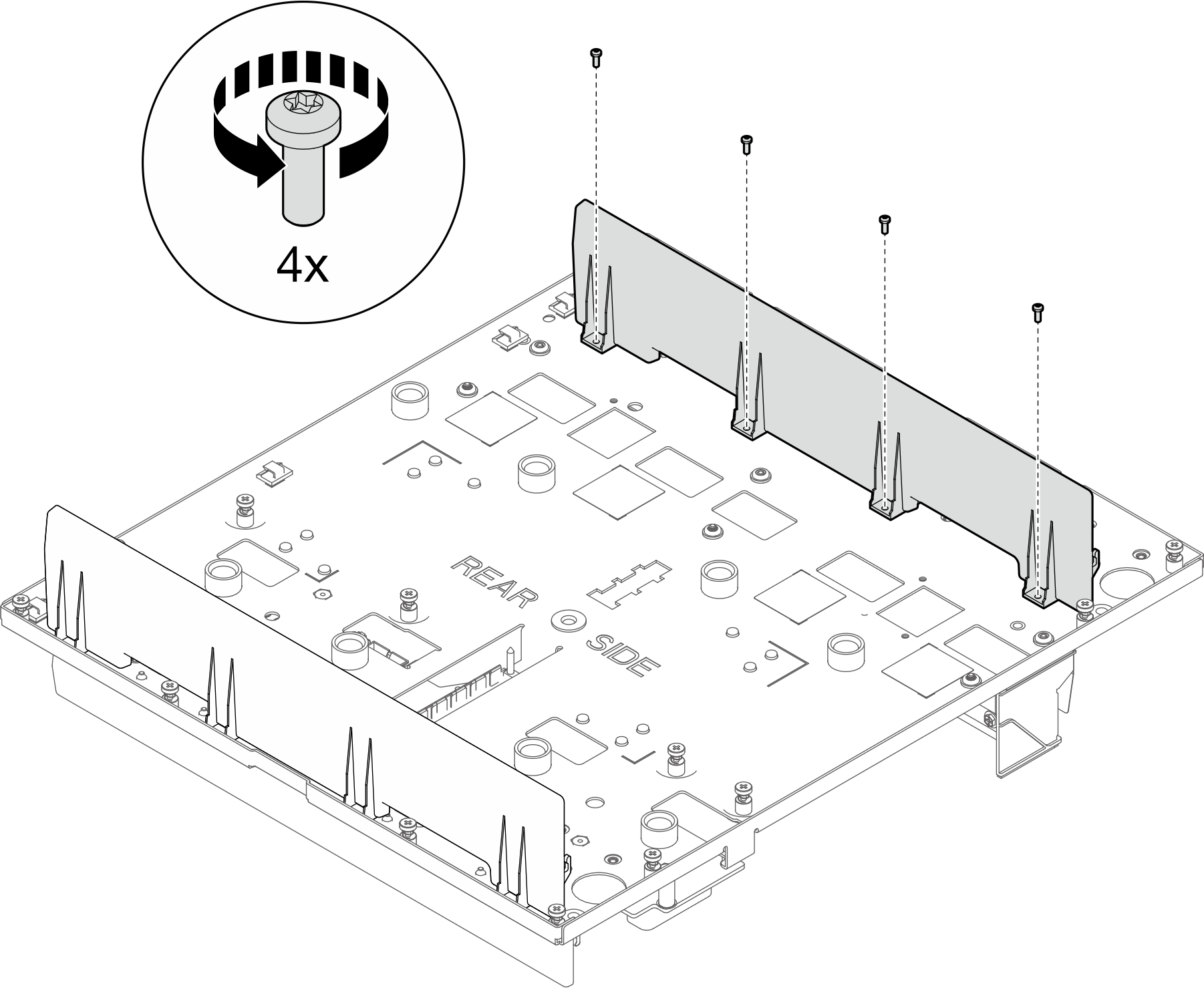
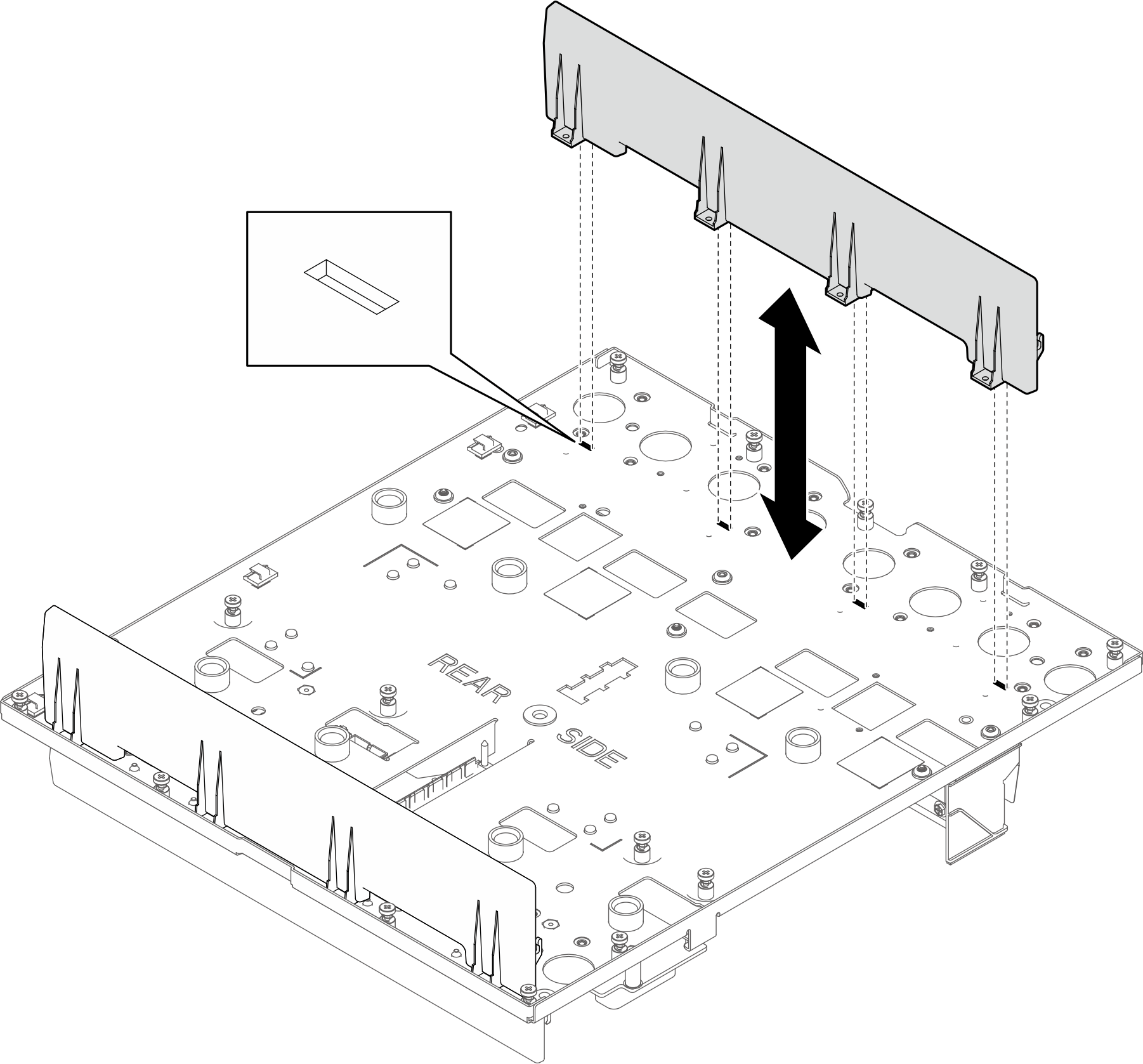
- Remove the top PCS leakage tray.
- Remove four M3 T10 screws from the top PCS leakage tray.Figure 2. Removing screws from the top PCS leakage tray
- Remove the top PCS leakage tray from the mid-plate assemblyFigure 3. Removing the top PCS leakage tray
- Remove four M3 T10 screws from the top PCS leakage tray.
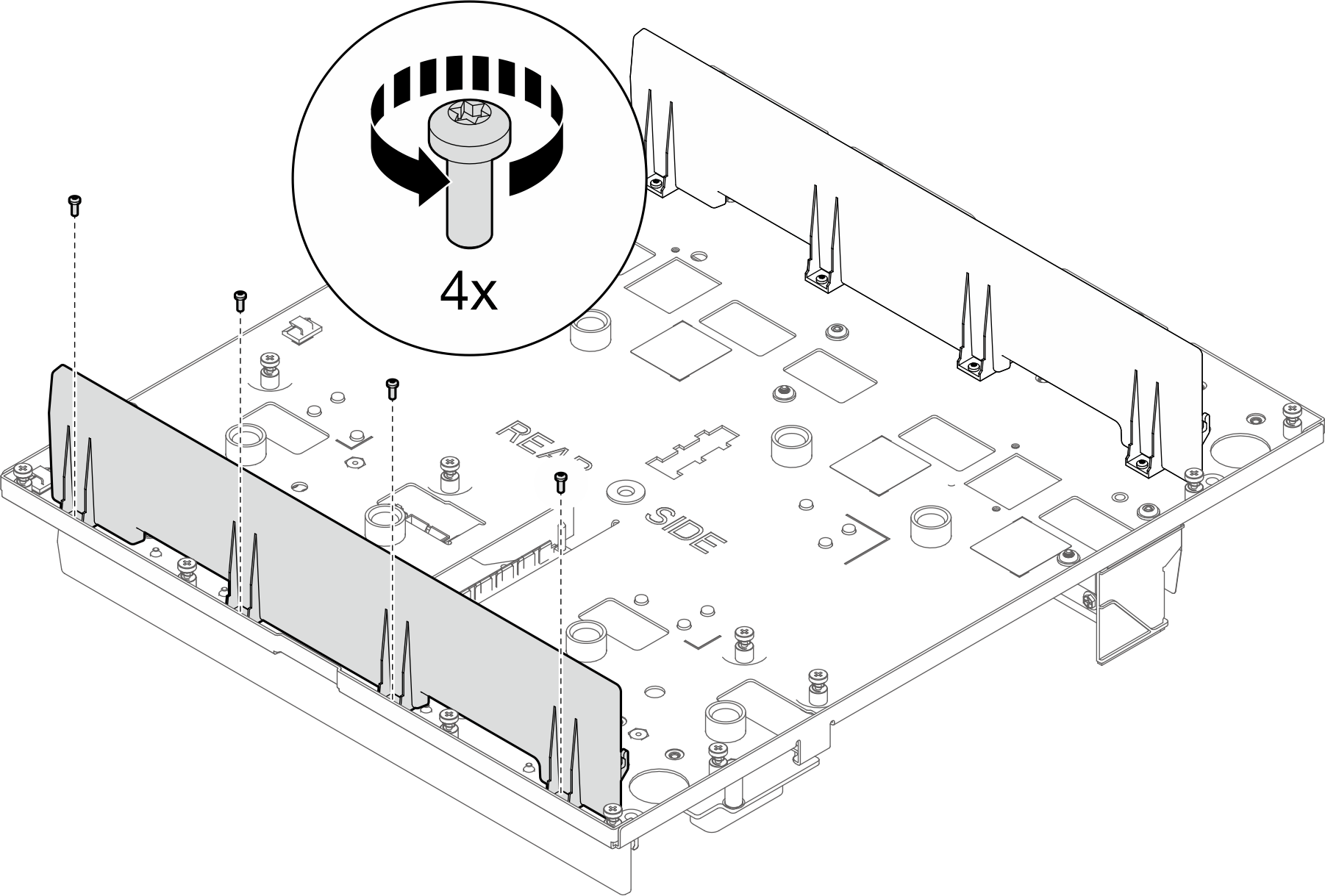
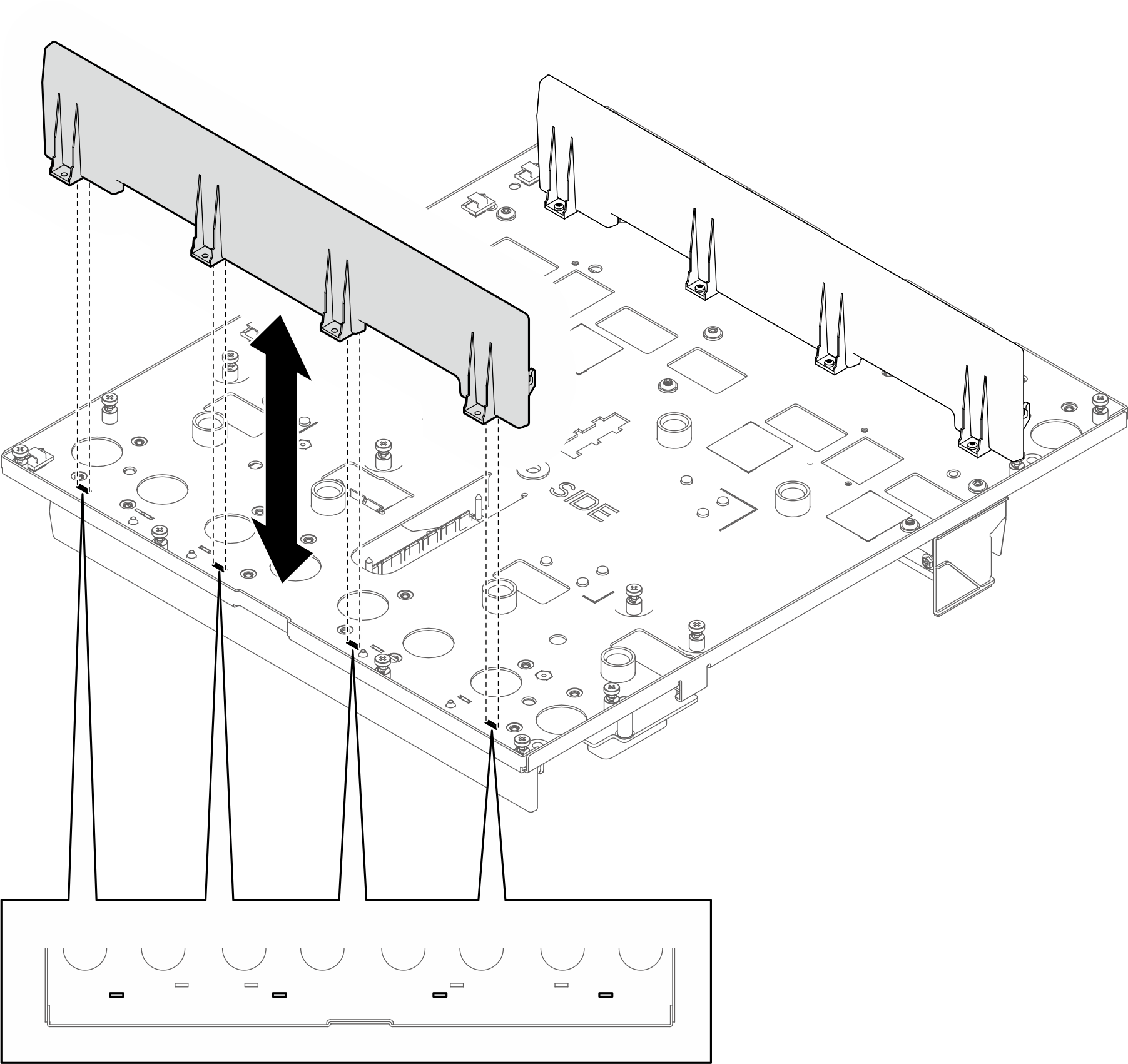
- Remove the bottom PCS leakage tray.
- Remove four M3 T10 screws from the bottom PCS leakage tray.Figure 4. Removing screws from the bottom PCS leakage tray
- Remove the bottom PCS leakage tray from the mid-plate assemblyFigure 5. Removing the bottom PCS leakage tray
- Remove four M3 T10 screws from the bottom PCS leakage tray.
After you finish
If you are instructed to return the component or optional device, follow all packaging instructions, and use any packaging materials for shipping that are supplied to you.
Give documentation feedback