Install the system I/O board (DC-SCM)
Use this information to install the system I/O board. System I/O board is also known as Datacenter-ready Secure Control Module (DC-SCM).
About this task
Screwdriver for M3 PH1, PH 1, PH 2, T10, and T30 screws
Waterloop Service Kit (SC750 V4) (The water loop carrier in the Service Kit is reusable, it is recommended to keep it at the facility where the server operates for future replacement needs.)
Up VR Gap Pad Kit (SC750 V4)
MID E3.S TOP Gap Pad (SC750 V4) , if E3.S middle drive is installed.
MID E3.S BOT Gap Pad (SC750 V4) , if E3.S middle drive is installed.
Storage Gap Pad Kit (SC750 V4) , if E3.S front drive is installed.
Storage Gap Pad Kit (SC750 V4) , if E3.S 1T dual front drives or E3.S 2T single front drive are installed.
CX7 NDR200 Gap Pad (SC750 V4) , if ConnectX-7 NDR 200 adapter is installed.
CX7 Gap Pad (SC750 V4) , if ConnectX-7 NDR 400 adapter is installed.
Read Installation Guidelines and Safety inspection checklist to ensure that you work safely.
Go to Drivers and Software download website for ThinkSystem SC750 V4 to see the latest firmware and driver updates for your server.
Go to Update the firmware for more information on firmware updating tools.
- A video of this procedure is available at YouTube.
Procedure
- Install the system I/O board.
 Install the system I/O board to the system board assembly.
 Install two M3 PH1 screws to secure the system I/O board to the system board assembly.
Figure 1. Installing the system I/O board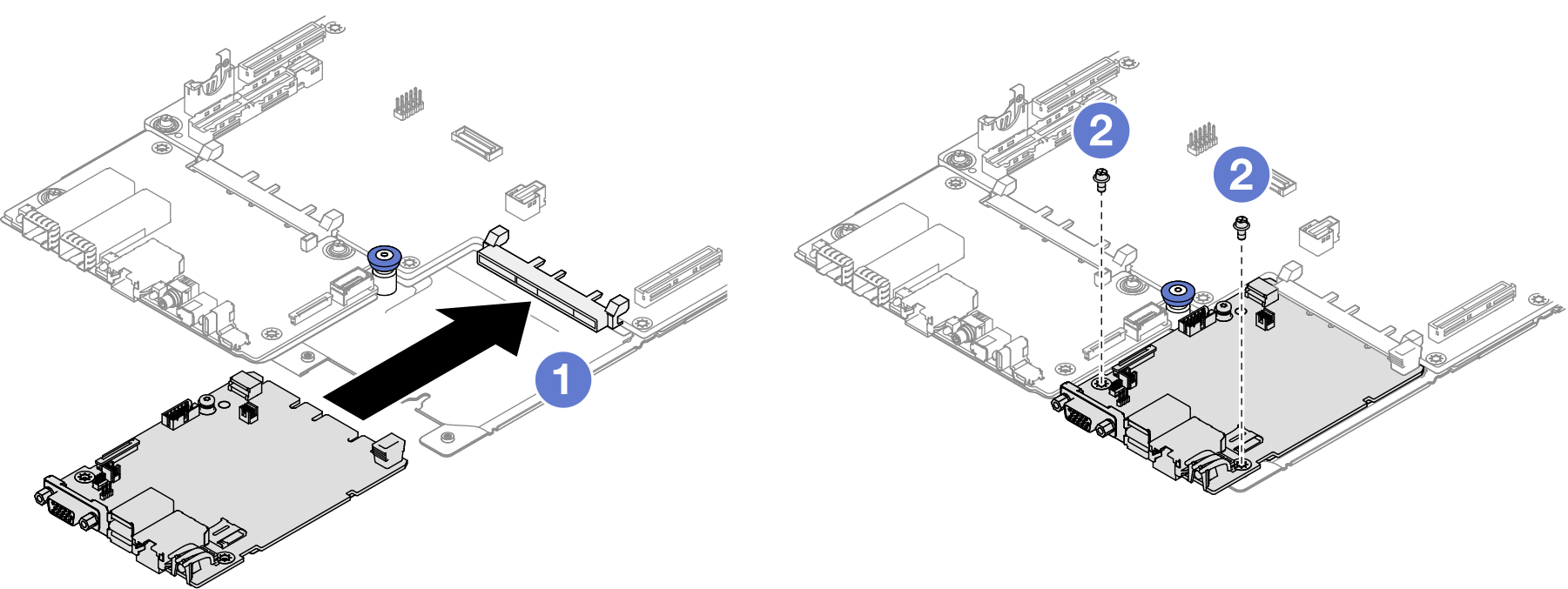
- Install the FPC cable to the front I/O board and the system I/O board.
- Pull up the latch of the connectors on the front I/O board and the system I/O board.Figure 2. Pulling up connector latches
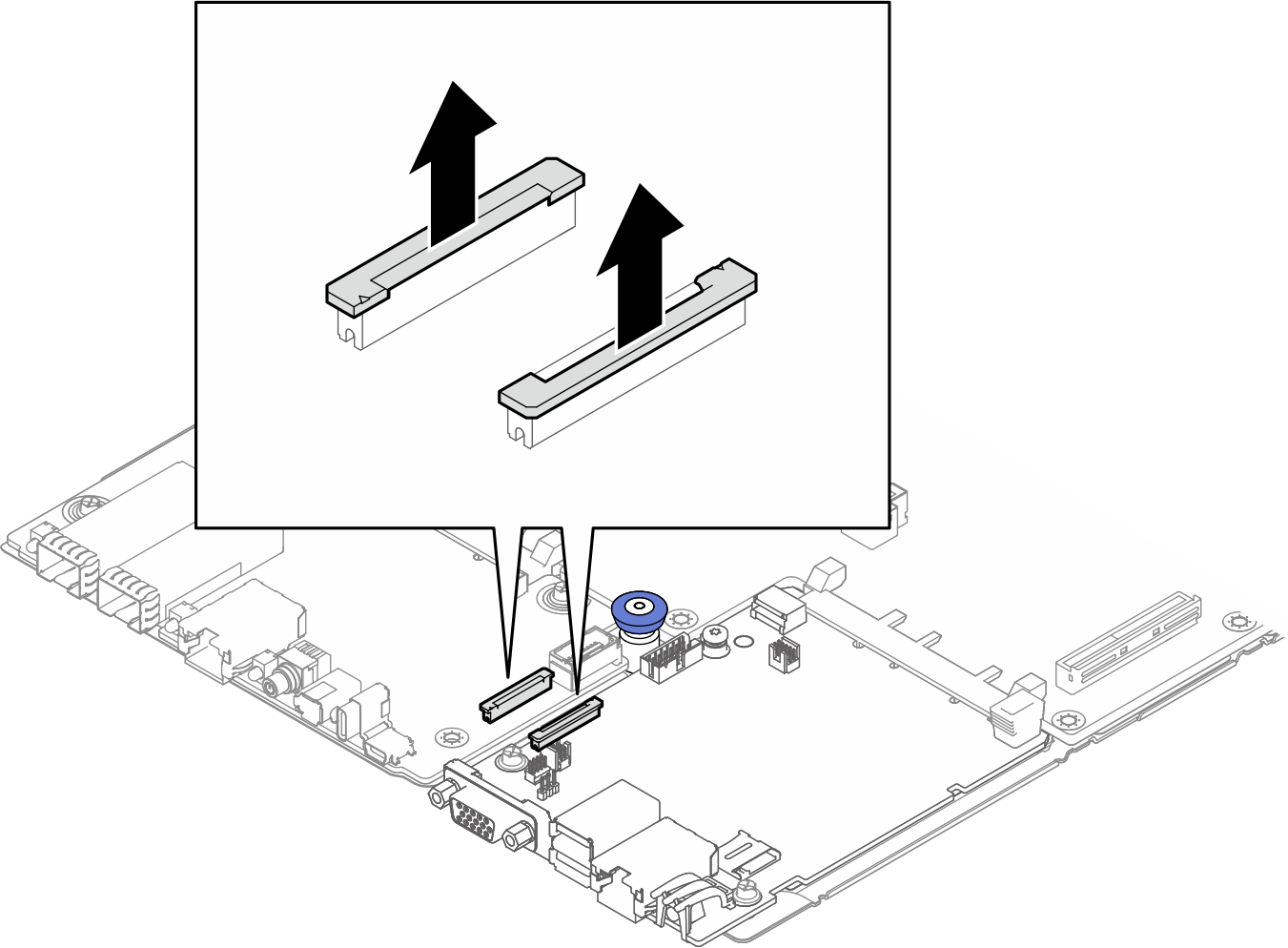
- Match the silkscreen on the FPC cable and the connectors. Then, install the FPC cable to the front I/O board and the system I/O board.
FPC cable connection to FIO board and system I/O board From To FPC cable end marked as FIO SIDE → FIO SIDE connector on Front I/O board FPC cable end marked as SCM SIDE → PHY CONN connector on system I/O board Figure 3. FPC cable connection
- There is a white line on both ends of the FPC cable. Insert the FPC cable to the connectors until the white lines are invisible. The FPC cable is not installed correctly if the white lines are visible.Figure 4. Checking proper FPC cable installation
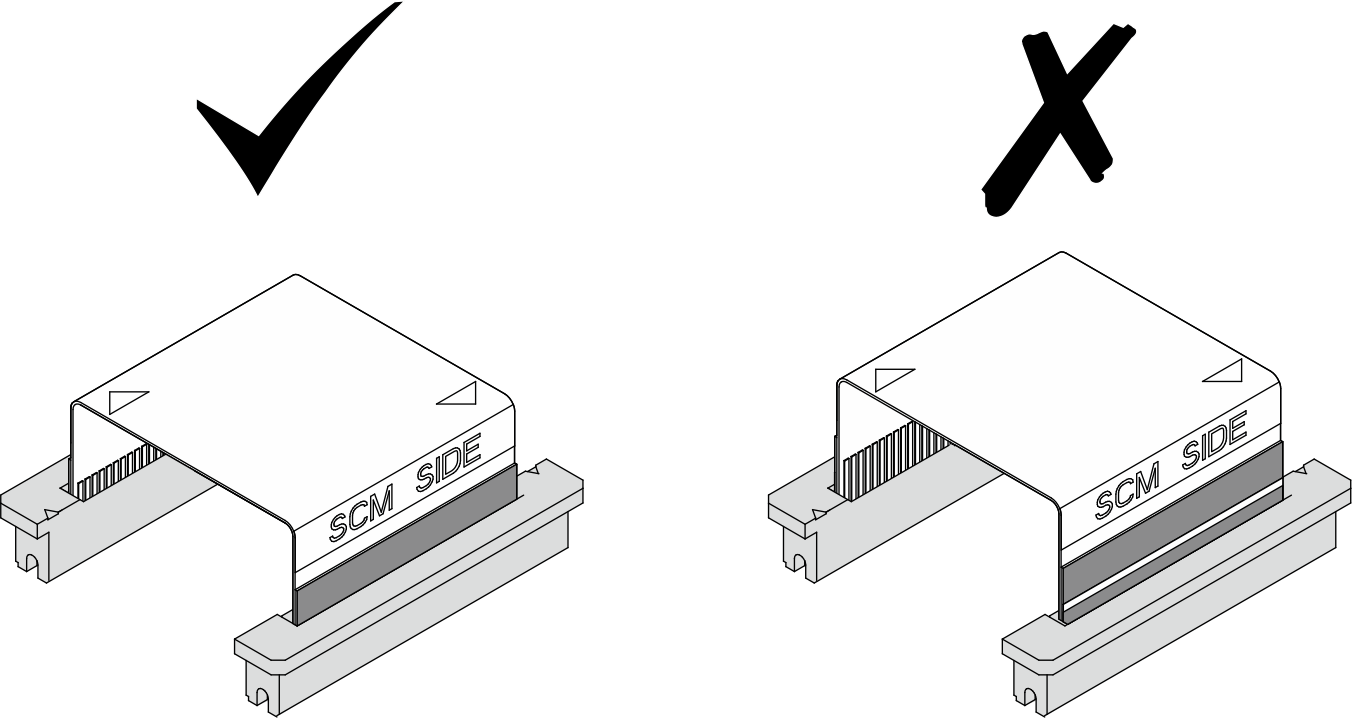 If the white line is still visible after inserting the FPC cable, check if the connector latches are fully pulled up and loosen.Figure 5. Pulling up connector latches
- Press the latches to secure the FPC cable to the connectors.Figure 6. Pressing connector latches
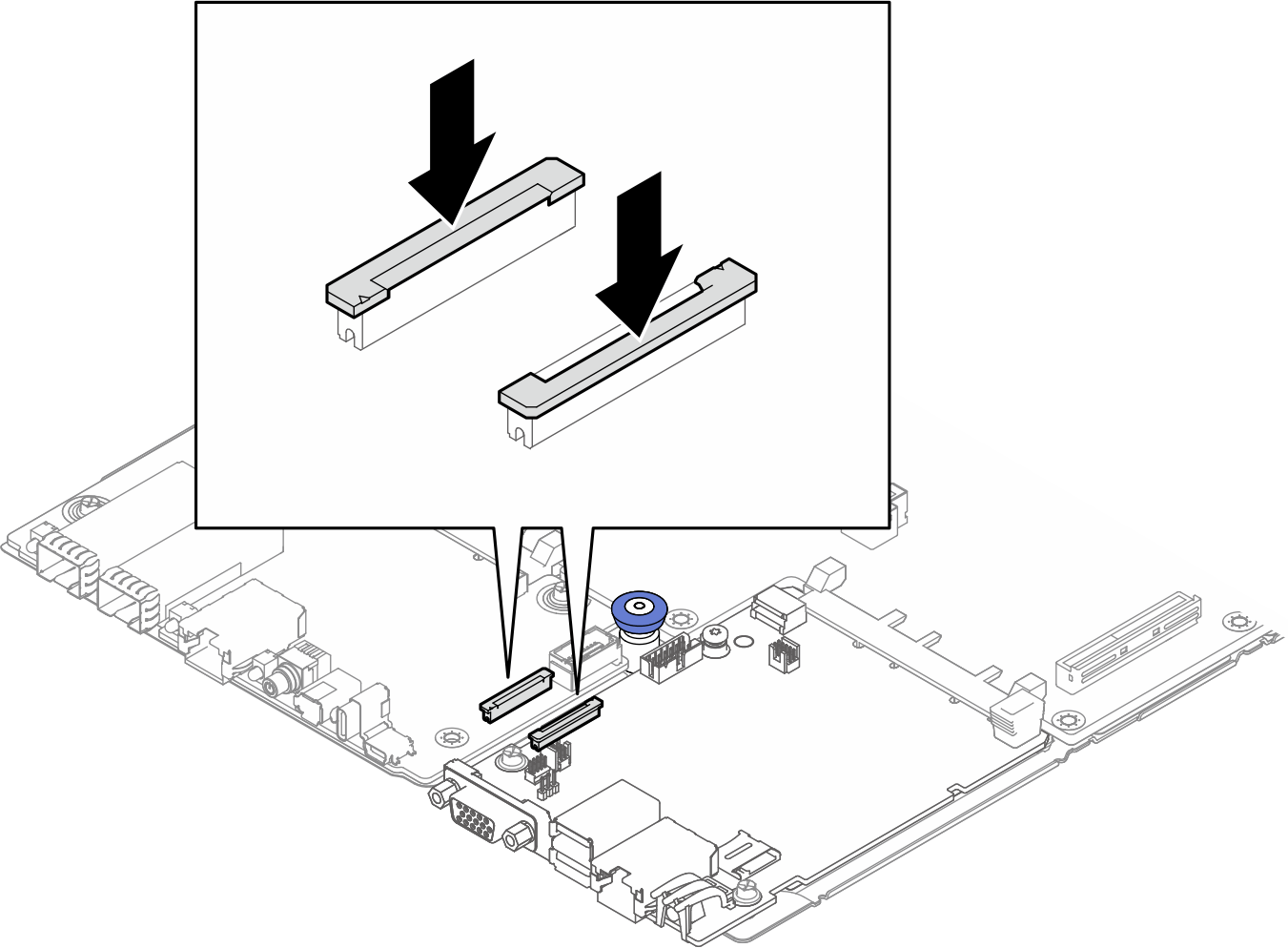
- Pull up the latch of the connectors on the front I/O board and the system I/O board.
- A label is attached to the COM port cable. Roll the label around the cable all the way through to prevent label interfering with system connectors and water loop.Figure 7. Rolling label around the COM port cable
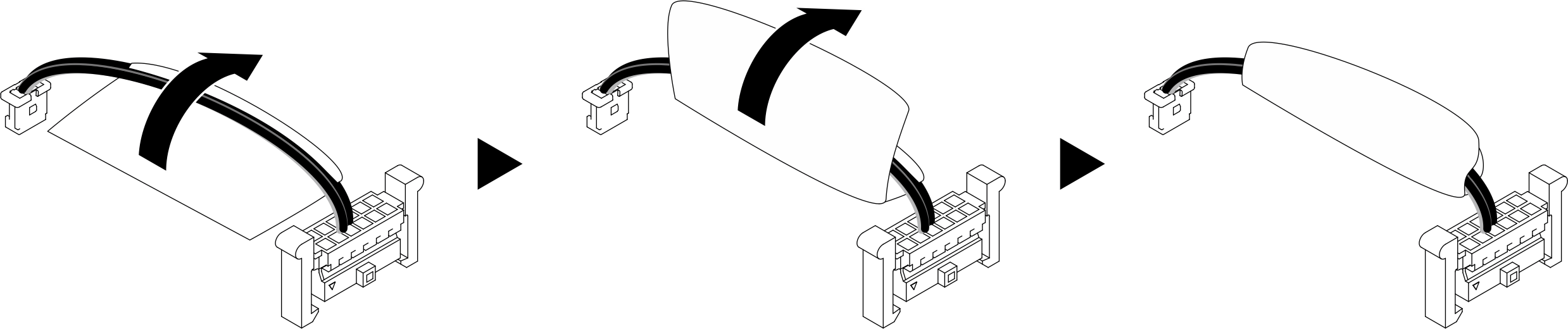
- Install the COM port cable to the front I/O board and system I/O board. Place the cable between plunger and serial log connector.
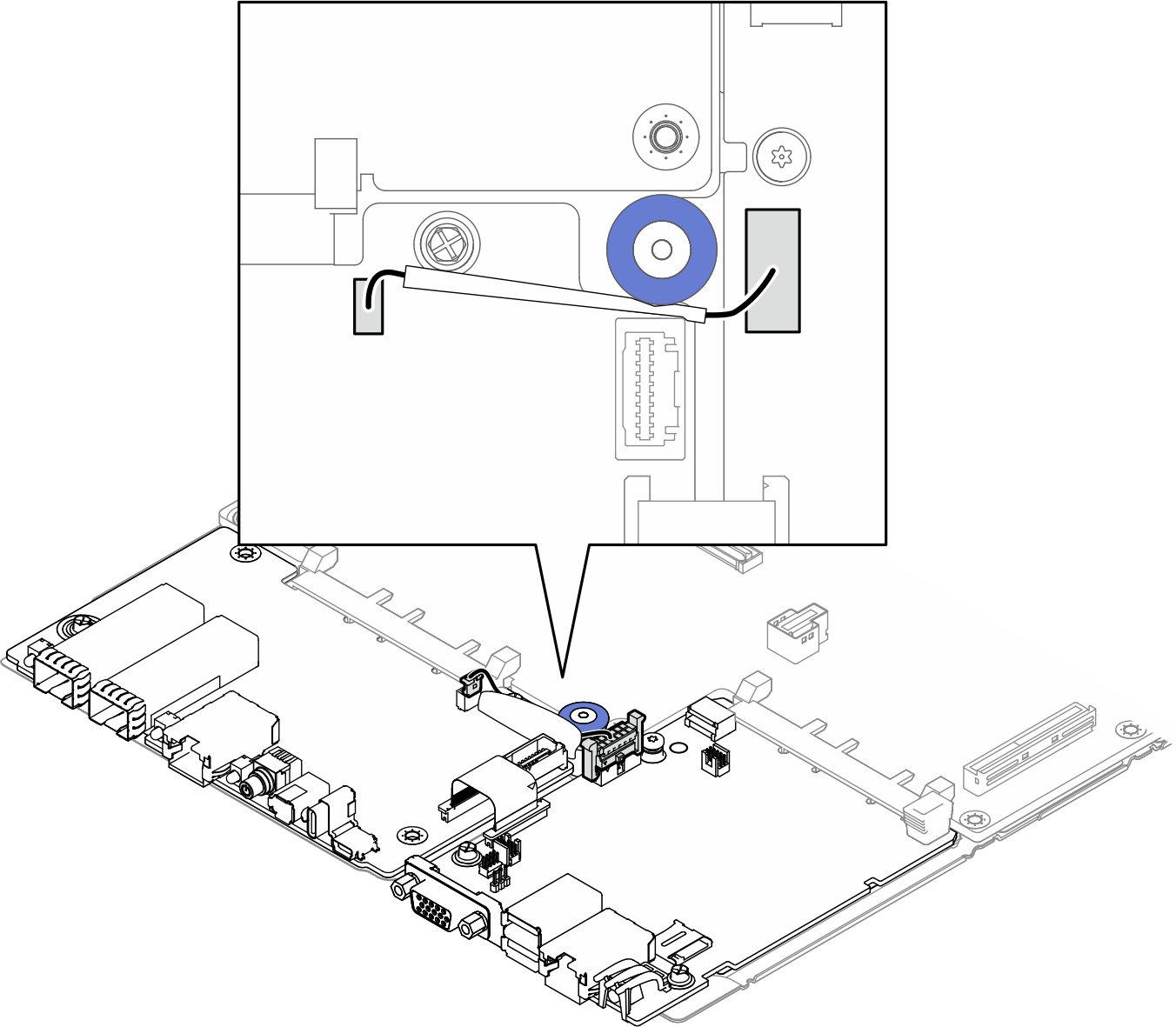
1 Serial log connector on front I/O board 2 COM port connector on system I/O board Figure 8. Removing COM port cable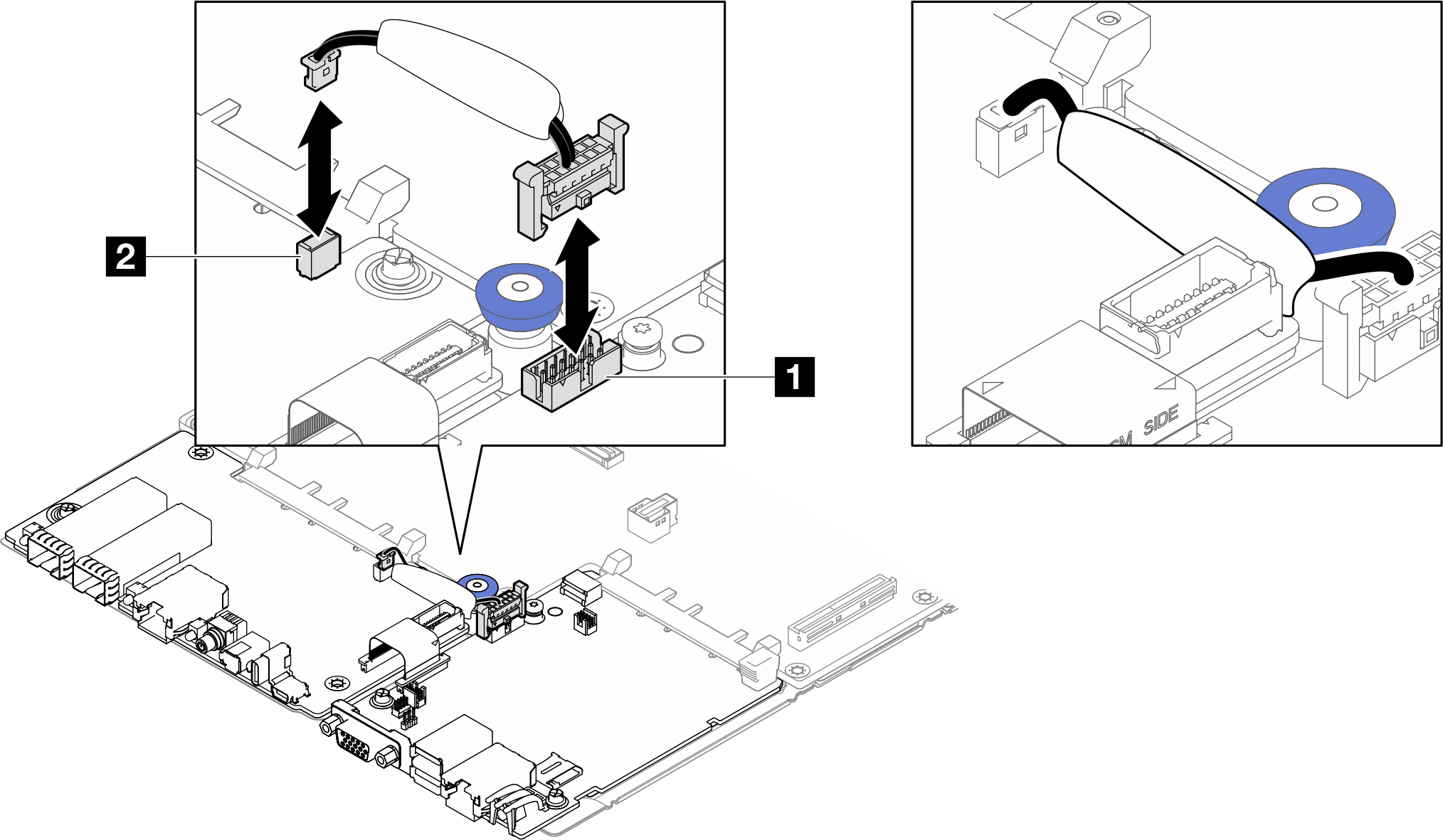 AttentionThe COM port cable should be placed between the plunger and the serial log connector.Figure 9. Top view of COM port cable routing
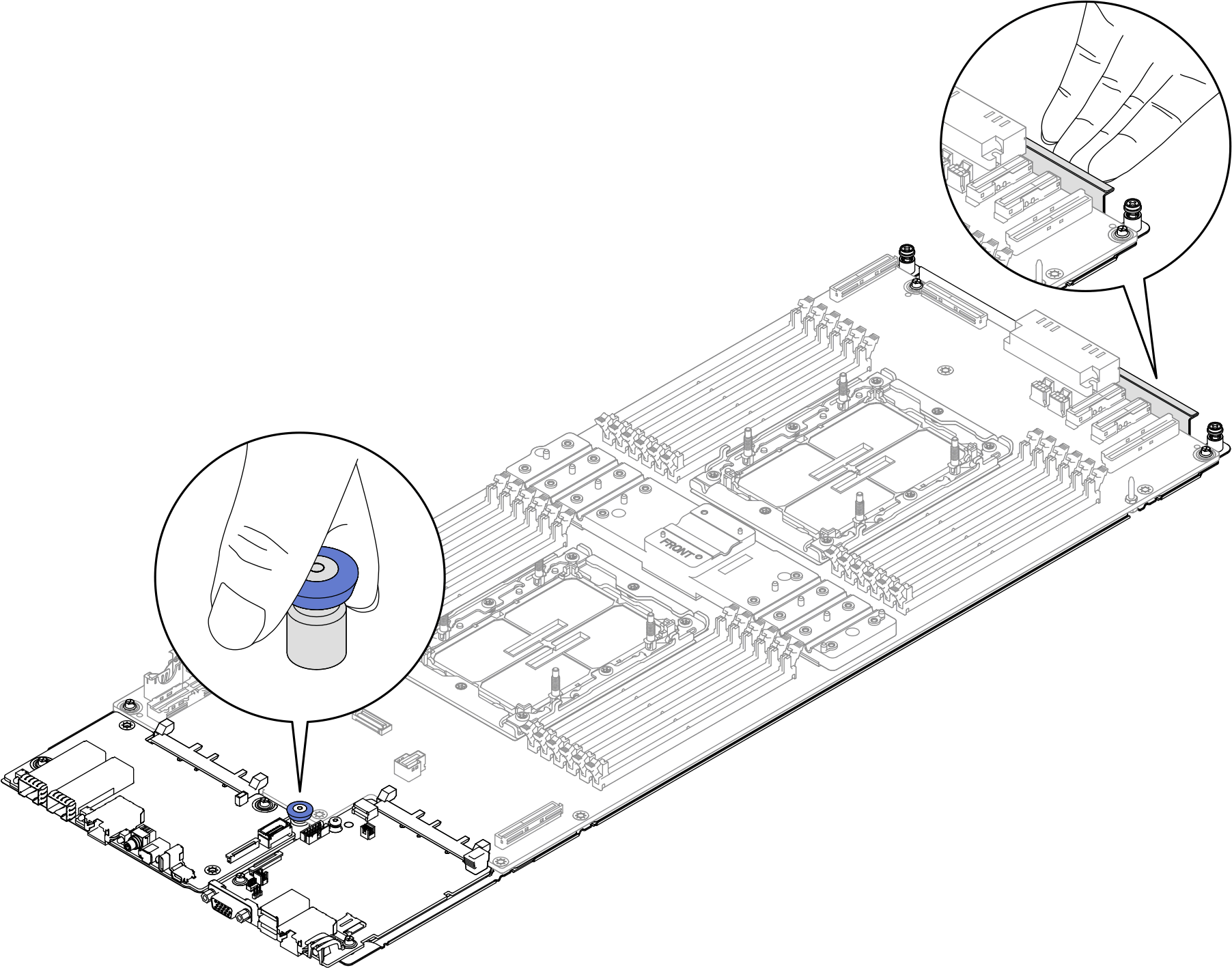
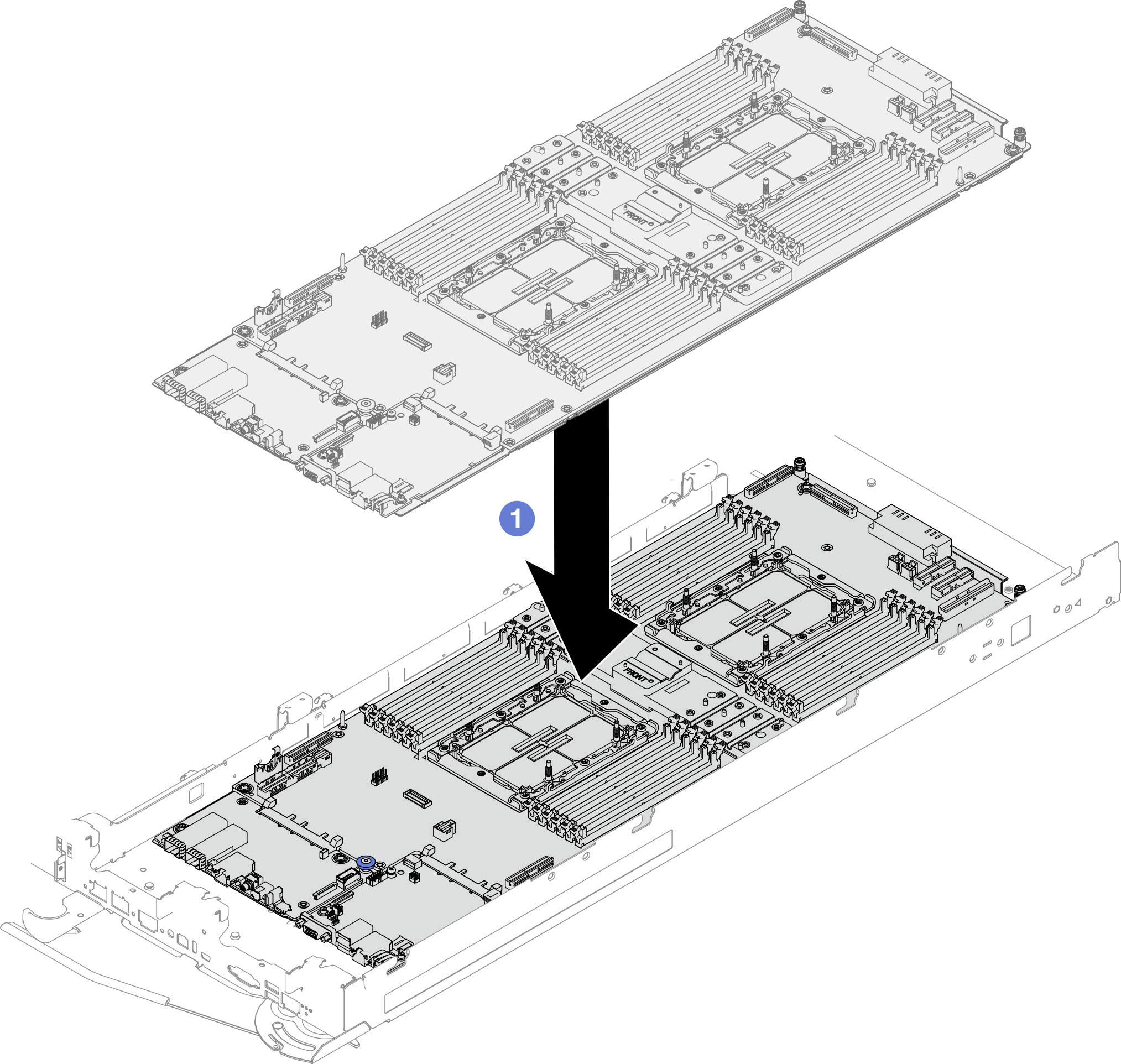
- Install the system-board assembly to the tray.NoteHold the system-board assembly by the thumbscrew in the front and the tab beside the power connector.Figure 10. Holding the system-board assembly
- Place the system board assembly into the tray.Figure 11. Installing the system-board assembly
- Press the SFP Ethernet ports on the FIO board.
 While pressing the SFP Ethernet ports, slide the system board assembly forward to secure the front connectors in the corresponding openings on the front bezel.
Figure 12. Securing the system board assembly to the tray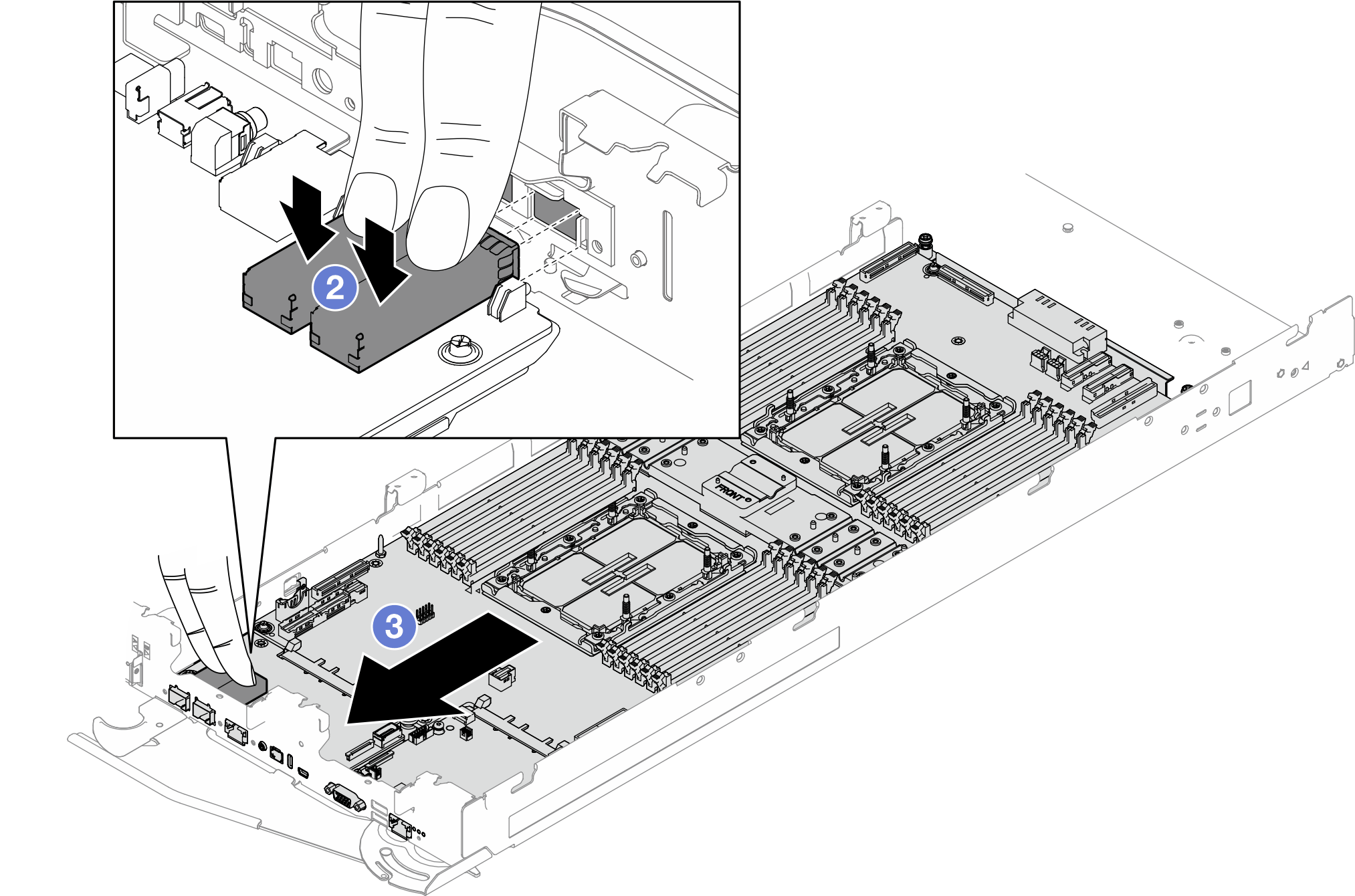
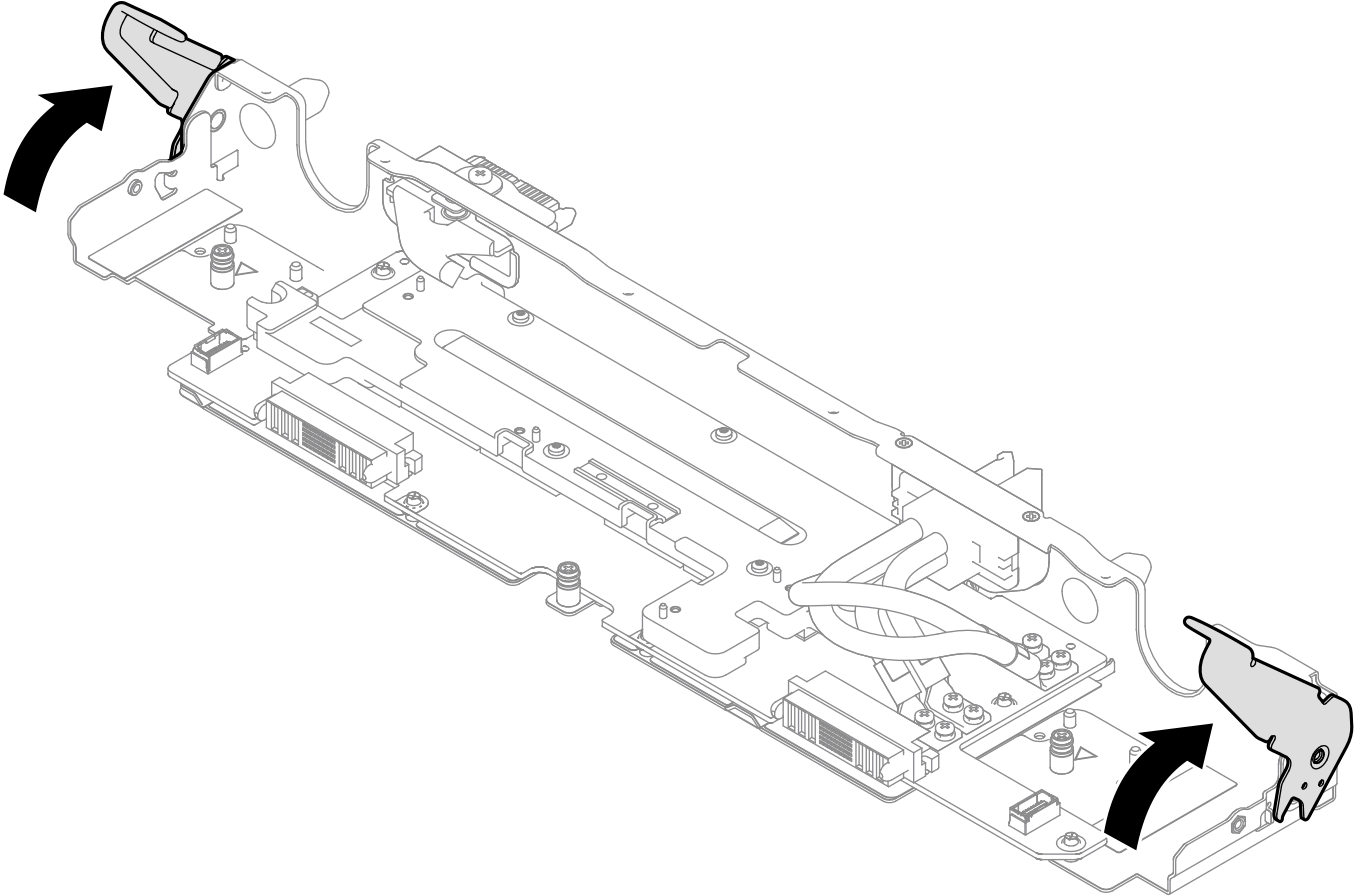
- Make sure the PDB tray handles are rotate to unlock position.Figure 13. PDB tray handle unlock position
- Install the PDB tray.
- Align the power connectors on PDB tray to the power connectors to the system boards.
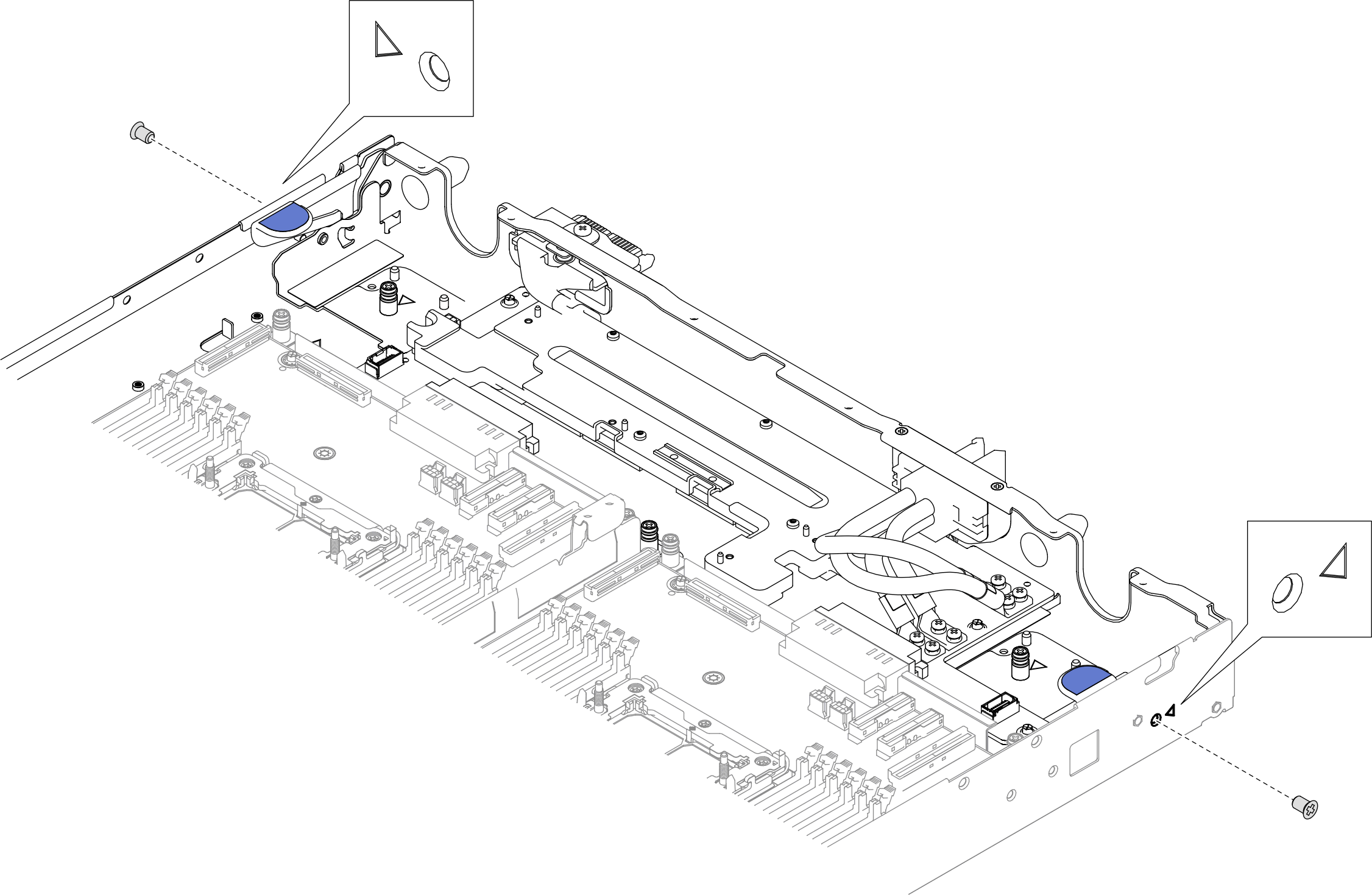
- There are triangle markings on the inside of the right-side and left-side of the tray. Push the PDB tray into the server tray. Stop pushing when the PDB tray meets the triangle markings.
- Rotate both PDB tray handles at the same time to the lock position
AttentionMake sure to rotate both handles at the same time.Figure 14. Installing the PDB tray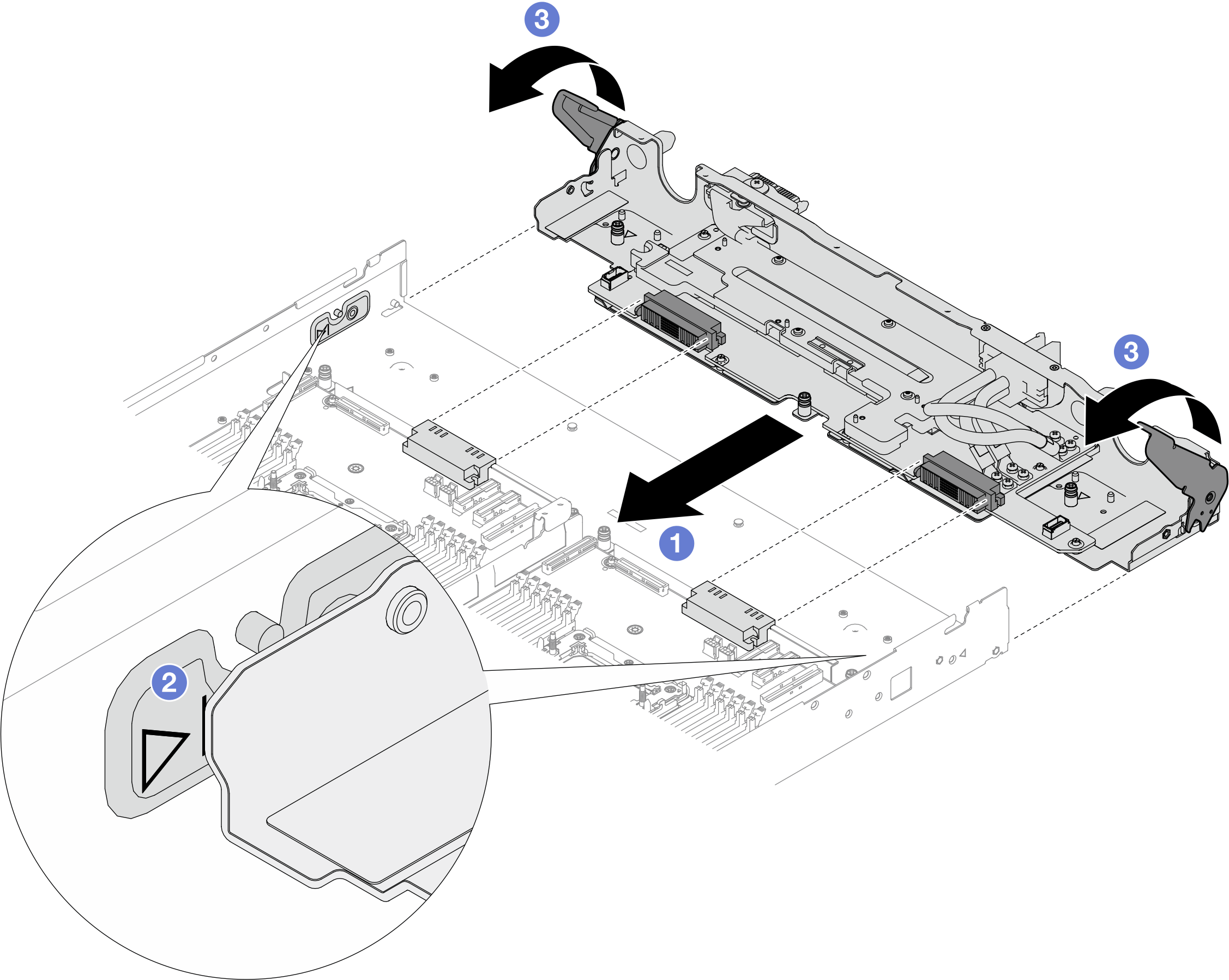
- Install two PH1 screws from the outside of the tray.Figure 15. Installing screws from the outside of the tray.
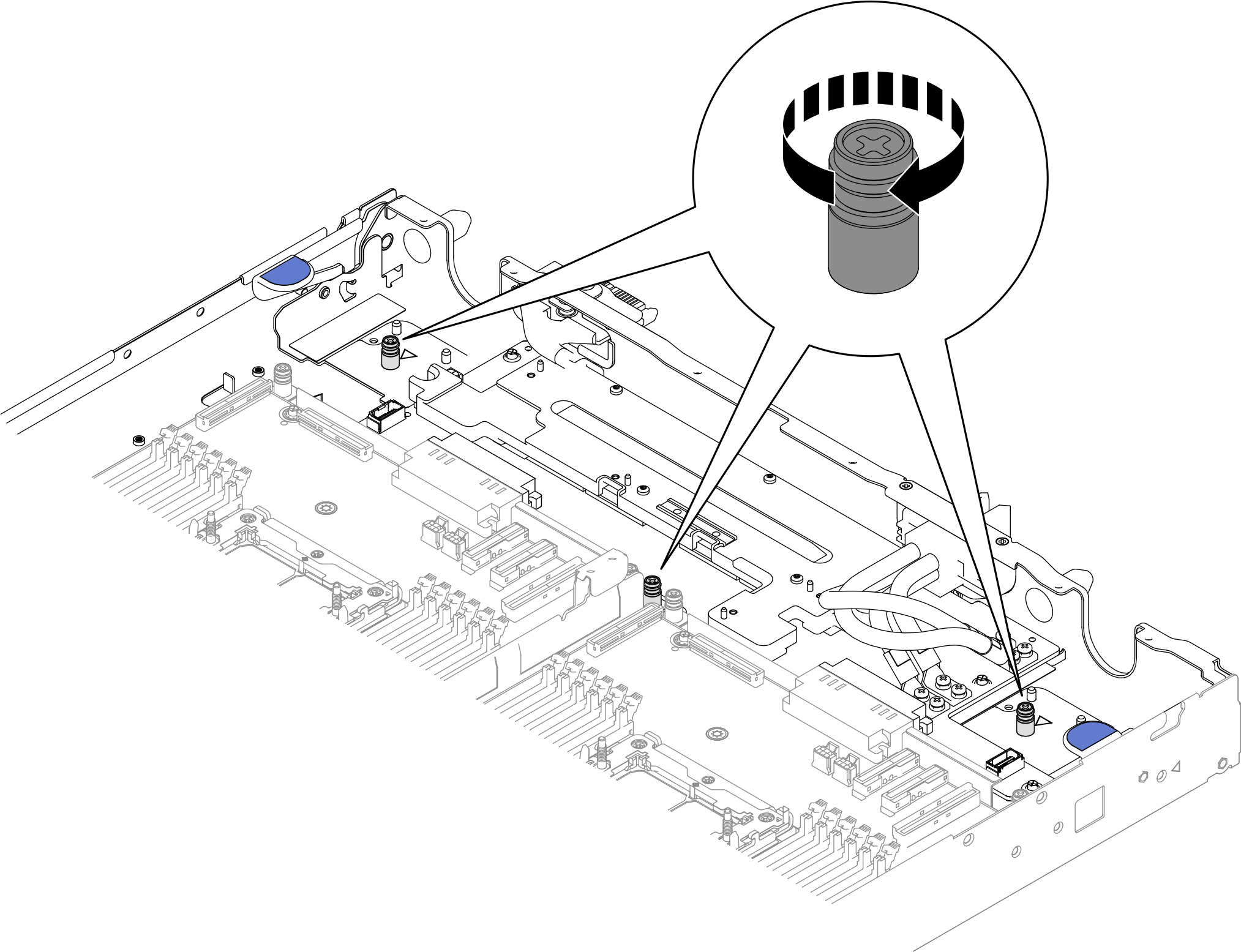
- Fasten the three PH1 captive screws to install the PDB tray to the server tray.Figure 16. Fastening captive screws
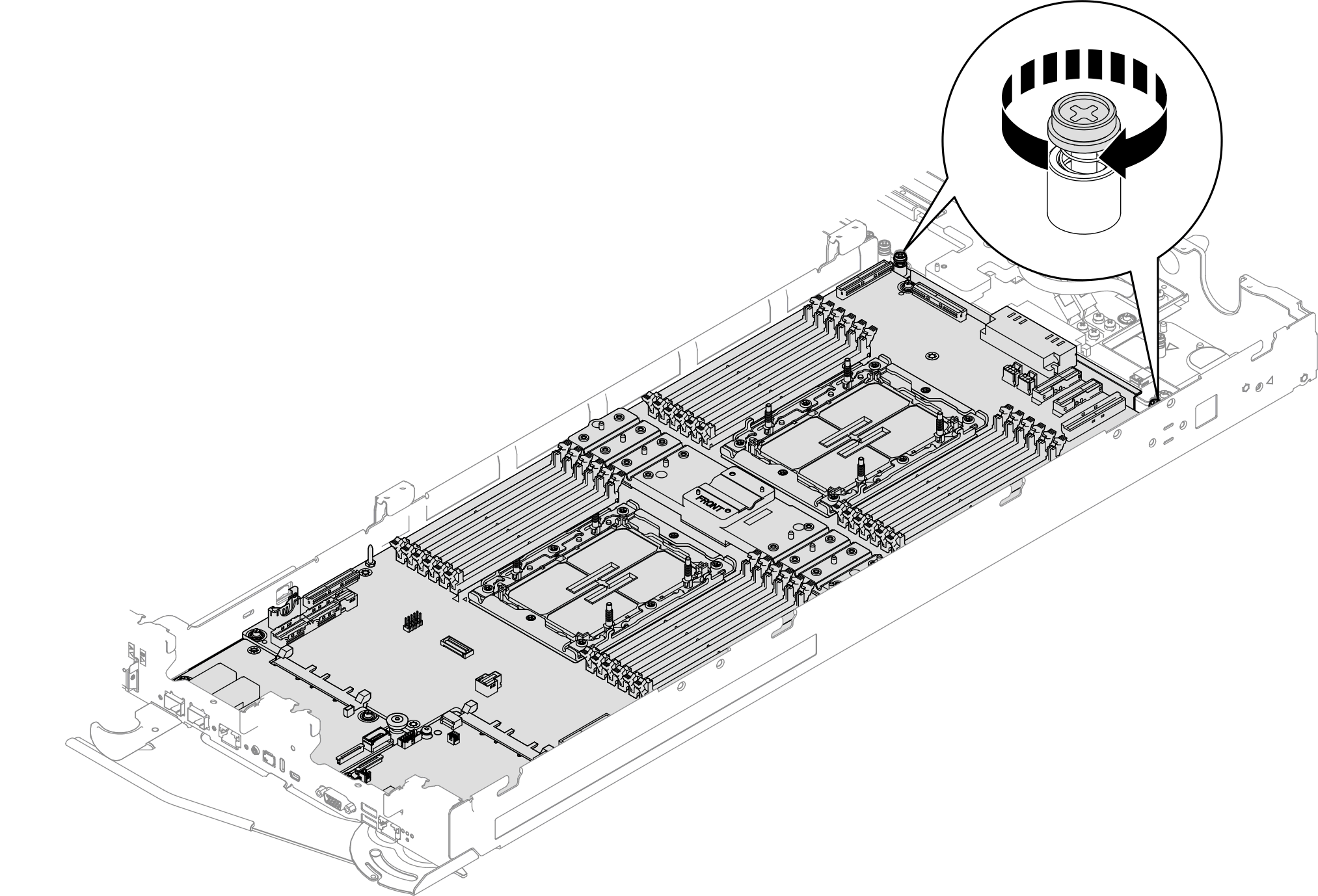
- Fasten two PH1 captive screws to secure the system-board assembly to the tray.Figure 17. Fastening captive screws on system-board assembly
Update the UEFI firmware. (Lenovo service technicians only) See Procedure for replacing System I/O board (DC-SCM) and updating system firmware on V4 system..
Update the XCC/LXPM/FPGA SCM/LXUM firmware. See Update the firmware.
Perform OneCLI commands or XCC actions to restore the UEFI and XCC settings. See OneCLI commands that restore configuration settings or Using XCC to restore the BMC configuration.
Set the TPM policy. See Enable TPM.
If hiding TPM or updating TPM firmware is needed, see Hide/observe TPM or Update the TPM firmware.
Optionally, enable UEFI Secure Boot. See Enable UEFI Secure Boot.